Best Business Software for Importers

An importer knows the problem before anyone says it out loud. A quote goes out from one system, the purchase order lives in another, landed costs get patched together in a spreadsheet, and the accounting file only tells part of the story after the fact. That is exactly why business software for importers matters. If your team buys, moves, receives, prices, and resells goods, you need more than bookkeeping and more than a basic CRM.
Most software categories miss how import businesses actually operate. Accounting systems are built to record financial results. CRMs are built to track contacts and sales activity. Neither one is designed to run the daily chain of events that starts with a quotation or demand signal and ends with inventory availability, invoicing, margin visibility, and management control.
For importers, the software decision is not really about features in isolation. It is about whether the system reflects the way your business makes money. If it cannot connect purchasing, receiving, stock control, document flow, and sales in one place, your team will keep doing manual work no matter how modern the software looks.
What business software for importers should actually solve
A serious importer has moving parts that depend on each other. Sales commitments affect purchasing. Purchasing affects inventory timing. Inventory timing affects fulfillment. Freight, duties, and other charges affect true product cost. Customer pricing affects margin. If those pieces are disconnected, leaders lose visibility and staff spend their days reconciling records instead of pushing operations forward.
The right platform should reduce duplicate entry from the start. A quote should become an order without retyping. An order should feed invoicing. Purchasing activity should inform expected receipts. Received goods should update stock. Landed costs should roll into inventory value and profit views. Managers should be able to see balances, margins, outstanding orders, and stock status without asking three people for updates.
That sounds obvious, but many importers are still running the company through email threads, spreadsheets, accounting reports, and one-off documents. The cost is not just inefficiency. It is delayed decisions, avoidable errors, weak pricing discipline, and poor control over cash and stock.
Why accounting software is not enough for importers
This is where many growing companies get stuck. They buy accounting software early, then try to force operations into it as the business becomes more complex. That works for basic bookkeeping. It does not work well for companies that need to manage purchasing cycles, inventory movement, quotations, sales orders, product costs, and operational workflow every day.
Accounting software is usually strongest after the transaction is effectively done. Importers need control before, during, and after the transaction. They need to know what is ordered, what is late, what is in stock, what a shipment really costs, and whether a sale is profitable before the month-end close arrives.
A CRM does not fix this either. It can help your sales team track opportunities, but it rarely becomes the operational source of truth for purchasing, receiving, inventory, and invoice-ready execution. The result is a patchwork process where sales sees one picture, operations sees another, and accounting sees a third.
That fragmentation creates leadership blind spots. If you are managing vendors, container timing, customer commitments, and fluctuating costs, you cannot afford to run the business from disconnected screens.
The capabilities that matter most
When evaluating business software for importers, focus on operational continuity rather than marketing claims. The first priority is end-to-end workflow. You want a system that follows the business from quote to order to invoice, and from purchase order to receipt to inventory impact, without forcing your team to recreate the same transaction multiple times.
The second priority is inventory control with real business context. Basic stock counts are not enough. Importers need visibility into what is on hand, committed, incoming, and costing the business money. If your software cannot help you understand inventory movement and availability in real time, planning becomes reactive.
The third priority is landed cost visibility. This is one of the biggest gaps in generic systems. Importers do not buy product at a simple unit price and call it a day. Freight, customs-related charges, fees, and other expenses shape true cost and margin. If that information is tracked outside the system, your reported profitability is always one step behind reality.
Document flow also matters more than many buyers expect. Importers generate and manage quotations, invoices, purchase orders, and supporting documents constantly. Software should convert one document into the next where appropriate, preserve accuracy, and reduce manual handling. That saves time, but more importantly, it cuts errors that turn into margin leaks or fulfillment problems.
Finally, reporting has to serve managers, not just accountants. Financial accuracy matters, but operators need dashboards, balances, order visibility, inventory views, and profit signals that help them make decisions now. A platform that only tells you what happened last month is not running the business. It is documenting the aftermath.
What a good fit looks like in practice
A good system should feel like an operational command center, not a collection of modules that barely talk to each other. When a customer order comes in, your team should be able to see stock position, purchasing needs, customer balances, pricing, and next steps in one environment. When product is received, inventory should update without a separate reconciliation project. When costs change, profitability should not be hidden in a spreadsheet someone forgot to update.
This is especially important for small and midsize importers. Large enterprises can sometimes afford layers of software, consultants, and internal IT support to hold everything together. Smaller businesses usually cannot. They need software that works through a browser, is practical to use, and supports growth without turning every process change into a systems project.
That is why many operators outgrow narrow tools even if those tools looked affordable at first. The issue is not the monthly subscription alone. It is the hidden labor cost of disconnected work. Every extra spreadsheet, every duplicate entry, and every hand-carried status update adds drag to the business.
Choosing software without getting distracted
A lot of software demos are designed to impress, not to reveal operational fit. Importers should push past polished screens and ask tougher questions. Can the system handle the flow from sales activity to purchasing execution and inventory effect? Can it provide accountant-ready financial information without making accounting the center of the business? Can managers see what is happening now, not just what posted yesterday?
You should also test the software against your exceptions, not just your ideal workflow. How does it handle partial receipts, changing costs, backorders, multiple document types, or products that need tighter purchasing control? Real businesses do not run on clean demo data. Good software should support the messy middle, where most decisions happen.
There is also a practical trade-off to consider. Some systems offer extreme depth but require heavy implementation, technical administration, or outside support. Others are easy to start but too limited once order volume and operational complexity rise. The best choice is usually the platform that gives you strong day-to-day control, enough flexibility to grow, and a structure your team will actually use consistently.
For companies that buy and resell goods, an integrated platform like FICCweb stands out when the goal is to run the business, not just record it. That distinction matters. Operators need one source of truth across documents, purchasing, inventory, sales, reporting, and financial visibility.
The business case is bigger than efficiency
Yes, the right software saves time. It reduces duplicate entry, cuts document errors, and gives staff a cleaner process. But the bigger payoff is control. You price better when you trust your costs. You buy better when you can see demand and stock clearly. You follow up faster when balances and document status are visible. You manage growth better when your system scales with the way the business actually works.
That kind of control is hard to fake. Businesses either have it or they do not. If your team is still chasing answers across multiple systems, then your software stack is limiting performance whether the financial statements look fine or not.
The better path is not more tools. It is better alignment between the software and the operation. Importers need systems built around goods in motion, margins under pressure, and decisions that cannot wait for month-end. Choose software that gives you that control, and the business gets easier to manage in the places that matter most.
FICCweb® shows you how to Manage Inventory Transactions in the right way.

A warehouse count says 240 units. The spreadsheet says 198. Sales already promised 30 to a customer, purchasing thinks more stock is on the water, and finance is waiting for a clean number that nobody trusts. That is exactly why business owners ask how to manage inventory transactions transactions in a way that reflects real operations, not wishful reporting. Inventory movement is not just stock going in and out. It is every change in quantity, status, and cost that affects what you can sell, what you need to buy, and how confidently you can make decisions. If those movements are handled loosely, the damage spreads fast - missed shipments, double ordering, margin surprises, and hours wasted chasing the truth across disconnected systems. What inventory movements actually include When people talk about stock control, they often reduce it to receipts and sales. In practice, inventory movements are broader. They include goods received from suppliers, customer shipments, returns, adjustments after counts, damaged stock, items reserved for orders, and production or kitting changes if your business assembles products. FICCweb handles on database where it keeps a kardex of Entries and Exits to and from inventory by movement or transaction and the document number related. That matters because each movement changes more than quantity, it could be a Sales for Exits, an Entry for voiding a document, an Entry or Exit for adjustment and you can create any transaction or movement you may need according with the products you sale, for example Exit for a Demo or Entries from a Demo, Repair or any other. A Receiving may change the landed cost. A return may put stock back into available quantity, quarantine, or repair status depending on condition. If your process treats all movement types the same, your records may look simple while your operation becomes harder to manage. How to manage inventory movements without losing control The fastest way to lose control is to let inventory move first and get recorded later. That approach usually starts as a shortcut and ends as a habit. Once that happens, your team spends more time correcting records than running the business. There are programs that allow the user to do an Invoice without having the actual Inventory we consider this the best way to make mistakes and loose control. A better model is straightforward: every movement should have a reason, a document trail, and a clear impact on quantity, availability, and cost. This is less about bureaucracy and more about operational discipline. If stock can move without being tied to a purchase receipt, sales shipment, return, or approved adjustment, your inventory record is no longer a system of control. It is just a delayed estimate. Start with movement types that match the real business Small and midsize companies often outgrow generic inventory categories quickly. If your team only has “in,” “out,” and “adjustment,” they will use adjustments to cover everything the system cannot explain. That is where visibility starts to break. Define movement types around real workflows. Receiving from suppliers is different from a customer return. A return from a Back Order is different from writing off damaged goods. Back Orders affecting stock is different from available stock. These distinctions let managers see what is actually happening instead of sorting through a pile of exceptions, many companies opt for having Sales Orders not affecting stock and whoever pays first takes the Inventory, it depends how you handle it in your business. Tie movements to source documents This is where many businesses either gain control or keep living in rework. Inventory should not sit in isolation from quotes, sales orders, invoices, purchase orders, and receipts. When movements are generated from the documents your team already uses, duplicate entry drops and accuracy improves. For example, receiving against a purchase order confirms what arrived versus what was expected. Shipping against a sales order updates available quantities. Returns can flow from the original customer transaction instead of being entered from memory. The trail of the kardex document matters because it gives managers context, accountability, and speed when something goes wrong. Record timing as tightly as possible Real-time visibility is not a nice extra for product businesses. It is the difference between acting and reacting. If receiving gets entered at the end of the day, sales may show items as unavailable when they are already on the shelf. If shipments are posted late, the system may overstate stock and create false confidence. That does not mean every business needs warehouse scanners on day one. It means the time gap between physical movement and system entry should be kept as short as the business can realistically maintain. The right level depends on volume, team size, and complexity. A smaller distributor can often get excellent control with disciplined same-step entry. A higher-volume operation may need barcode-based workflows and tighter user permissions. Accuracy depends on location and status control Knowing total stock is useful. Knowing where it is and whether it is sell able is what drives decisions. Once you issue an Invoice the item(s) is no longer available, even if you still have it in your location that inventory is sold, teams keep saying “we have it” when what they really mean is “we think it exists somewhere.” That leads to rushed internal transfers, delayed shipments, and frustrated customers. Status control is just as important. Available, committed, in transit, returned, damaged, and on hold should not be mixed together. A business that lumps all quantity into one balance creates false availability. That usually shows up when sales commits stock that is physically present but not actually ready to ship. Cost tracking cannot be an afterthought Many companies only realize their inventory movement process is weak when margins stop making sense. Quantity accuracy matters, but cost accuracy matters too. Receipts, landed charges, returns, and adjustments can all affect the true cost of goods. If you import, distribute, or resell products, this becomes even more important. Freight, duties, broker fees, and vendor variances change profitability. A movement process that ignores cost impact may keep stock counts tidy while distorting gross margin. Operators need more than an inventory number, a Landed Cost Calculator is our answer. They need to understand what inventory is worth and what it will return. The biggest mistakes that create inventory chaos Most inventory problems are not caused by one dramatic failure. They are caused by repeated small decisions that weaken control. One common mistake is letting multiple people adjust stock freely without approval standards. Another is relying on spreadsheets to bridge gaps between purchasing, sales, and inventory records. Spreadsheets feel fast until nobody knows which version is current. Then every count becomes an argument. Another problem is treating periodic stock counts as a substitute for movement control. Counting matters, but counting alone does not fix weak daily process. If receipts, and shipments are entered inconsistently, your count just tells you how far off you are. There is also a trade-off around flexibility. Some businesses pride themselves on being able to “just move things” to serve customers faster. That can work at very small scale. As volume grows, informal flexibility turns into expensive confusion. Good systems still allow speed, but they require that movements leave a trace. Build a process your team will actually follow The best inventory procedure is not the one with the most rules. It is the one your team can execute consistently under normal pressure. Start by mapping the high-frequency movements in your business. Focus on what happens when goods are purchased, received, transferred, sold, returned, and adjusted. Then decide who is allowed to create each movement, what document should trigger it, and when it must be entered. Keep the process practical. If a warehouse clerk has to complete five disconnected steps to receive one delivery, the real process will become a shortcut process. That is why integrated operational software matters. When purchasing, sales, inventory, and reporting live in one system, teams can work from one source of truth instead of retyping the same transaction in multiple places. For operators who are tired of patching together accounting software, spreadsheets, and standalone tools, that change is significant. A platform like FICCweb gives management a direct view of what moved, why it moved, what it cost, and what needs attention next. That is operational control, not just bookkeeping. Use cycle counts to verify, not rescue Cycle counting is still one of the smartest ways to strengthen inventory accuracy, but only if it supports the movement process rather than replacing it. Count fast-moving and high-value items more often. Investigate recurring variances by cause, not just by item. If the same product is frequently off, the problem may be receiving errors, picking issues, unit-of-measure confusion, or unauthorized adjustments. The goal is not perfect stock forever. The goal is a control system that catches issues early enough to fix the process behind them. That is a more profitable mindset than simply posting another adjustment and moving on. Visibility should lead to better decisions When inventory movements are managed well, the payoff reaches far beyond the warehouse. Sales can promise with confidence. Purchasing can reorder based on actual demand and actual availability. Managers can spot slow-moving stock, investigate shrinkage, and see margin pressure before it hits the month-end reports. That is why this topic matters so much for growing companies. Inventory is not static. It is in motion all day, and your system needs to reflect that motion while the business is happening. Once your movement process is tied to real workflows, clean documents, and current visibility, you stop chasing stock and start running the company with authority. The real win is not cleaner records. It is being able to make decisions today without wondering whether the numbers are already wrong.
Why
Quotations to Sales Order to Invoices Workflow, FICCweb Wins

A sales rep updates pricing in a quote. Operations retypes the order. Accounting rebuilds the invoice. Inventory gets checked in a spreadsheet that may or may not be current. That is exactly where margins get lost. Quote to invoice workflow software fixes that break in the business by turning one disconnected chain of tasks into a controlled operational flow.
For product-based companies, this is not a minor convenience. It changes how work moves through the business. When the path from quotation to order to invoice is connected, leaders get faster response times, fewer errors, clearer accountability, and a real view of what is sold, what is pending, what is shipping, and what is still unpaid. That matters a lot more than another accounting feature.
What quote to invoice workflow software actually does
At its core, quote to invoice workflow software connects commercial documents and the decisions behind them. A quote is not treated as a static file that gets emailed and forgotten. It becomes the starting point of a transaction that can move forward into an order, purchasing activity, inventory allocation, shipment, and invoice without rebuilding the same information over and over.
That continuity is where the value sits. Customer details, line items, pricing, quantities, terms, taxes, and notes should flow through the process with control, not with repeated manual entry. When users can convert documents instead of recreating them, the business cuts rework and protects accuracy.
The best systems also do more than document conversion. They show balances, profit impact, inventory status, and pending actions in real time. For an owner or operations manager, that is the difference between managing the business and chasing paperwork.
Why accounting software usually falls short
Most accounting systems were built to record completed transactions, not to run live operations. They are useful once the invoice is ready, the bill is posted, and the books need to be accurate. But they are often weak at the messy middle where businesses actually make money or lose it.
That middle includes preparing quotes, revising prices, tracking customer approvals, converting orders, handling partial deliveries, creating purchase orders for suppliers, receiving stock, and invoicing what actually shipped. If your system is centered on bookkeeping first, those operational steps often happen outside the platform in spreadsheets, emails, and side conversations.
That creates three predictable problems. First, staff enter the same data multiple times. Second, managers lose visibility because key decisions live outside the system. Third, timing breaks down. A quote gets approved but nobody sees it quickly. An order ships but the invoice is delayed. Inventory is committed twice because one team is working from stale information.
This is why many growing companies outgrow accounting-led software long before they outgrow their accountant.
How quote to invoice workflow software improves control
The real win is not just speed. It is control without bottlenecks.
When the workflow is connected, each step leaves a trace. You can see who created the quote, what changed, whether it was approved, whether stock was available, whether purchasing was triggered, and whether the invoice reflects the actual transaction. That gives management a live operational picture instead of a backward-looking financial report.
For companies that buy and resell goods, this matters even more. Pricing decisions affect margin. Inventory timing affects customer satisfaction. Purchasing mistakes affect cash flow. A disconnected process hides these links until the damage is already done.
A strong system helps prevent that. It lets teams convert approved quotes into sales orders, generate invoices from fulfilled orders, and keep the financial side aligned with what the business actually promised and delivered. If the platform also tracks purchasing, inventory movements, and landed costs, the value multiplies because margin is no longer based on guesswork.
What to look for in quote to invoice workflow software
Not every platform that claims workflow automation is built for operational businesses. Some are lightweight quoting tools. Some are CRM systems with limited back-office depth. Others are accounting packages with add-ons that still leave your team bouncing between screens and spreadsheets.
The better question is simple: does the software support how your company actually sells, buys, moves, and bills?
Look for document conversion that carries data forward cleanly from quote to order to invoice. Look for inventory visibility tied to sales activity, not managed separately. Look for purchasing tools that connect supplier orders to customer demand. Look for dashboards that show what is outstanding, late, committed, shipped, and unpaid.
You also want flexible controls. Some businesses need fast approvals and simple order conversion. Others deal with partial shipments, backorders, multiple cost layers, or bilingual documents. The right platform should handle complexity when you need it without forcing complexity into every basic task.
That is where many businesses make the wrong call. They buy for the demo, not for the day-to-day workload. A polished quote screen means very little if the rest of the process still depends on manual fixes.
Quote to invoice workflow software for product-based businesses
If you sell services with straightforward billing, many tools can get the job done. If you buy, stock, assemble, import, distribute, or resell products, the bar is much higher.
Your quote is often tied to availability, expected supply, customer-specific pricing, freight assumptions, and target margins. Your invoice may depend on what actually shipped, what was partially fulfilled, or what was received from a supplier. In that environment, quote to invoice workflow software needs to behave like an operational system, not just a sales utility.
This is why product-based companies should pay close attention to how sales documents interact with inventory, purchasing, and cost tracking. A quote that wins the deal but ignores true landed cost is not a win. An order that converts easily but does not reserve or reveal stock correctly will create downstream problems. An invoice produced quickly but disconnected from fulfillment creates disputes and credit note headaches.
An integrated operating platform such as FICCweb makes more sense in these cases because the workflow is tied to the full business process, not just one department's task list.
The trade-offs and where fit matters
There is no universal best choice. It depends on your volume, your product mix, your fulfillment model, and how much operational discipline you want the system to enforce.
A very small company with simple jobs and low transaction volume may tolerate a lighter setup for a while. The trade-off is that growth will expose every manual shortcut. More staff means more duplicated entry. More quotes mean more version confusion. More orders mean more delays between what was promised and what gets billed.
On the other hand, a company with active purchasing, inventory turnover, customer-specific pricing, and multiple document stages usually benefits quickly from a more integrated platform. The savings show up in fewer mistakes, faster billing, tighter purchasing decisions, and better margin visibility.
Implementation also matters. Good software will improve the process, but it will not fix a business that has no rules around pricing, approvals, order handling, or inventory discipline. The strongest results come when leadership treats workflow software as an operating system for the company, not another app the staff is expected to work around.
The business result is better than faster paperwork
Faster quote conversion is useful, but that is only part of the story. The bigger result is that your company starts acting from one version of the truth. Sales sees what was quoted. Operations sees what must be delivered. Purchasing sees what needs to be sourced. Finance sees what should be invoiced and collected. Management sees the whole picture as it develops.
That creates a different kind of business. Decisions improve because the information is current. Customer service improves because staff are not hunting through inboxes and spreadsheets. Cash flow improves because invoices are not delayed by broken handoffs. Profitability improves because pricing, costs, and commitments are visible before problems compound.
If your team is still rebuilding the same transaction three times before it reaches the customer as an invoice, the issue is not effort. The issue is structure. The right workflow software gives that structure back to the business so growth does not create more confusion than momentum.
The smartest move is to choose a system that reflects how your operation really works, then let the workflow carry the load your people should not have to carry by hand.
FICCweb shows you how to Manage Inventory Transactions or Movements Well
A warehouse count says 240 units. The spreadsheet says 198. Sales already promised 30 to a customer, purchasing thinks more stock is on the water, and finance is waiting for a clean number that nobody trusts. That is exactly why business owners ask how to manage inventory transactions transactions in a way that reflects real operations, not wishful reporting.
Inventory movement is not just stock going in and out. It is every change in quantity, status, and cost that affects what you can sell, what you need to buy, and how confidently you can make decisions. If those movements are handled loosely, the damage spreads fast - missed shipments, double ordering, margin surprises, and hours wasted chasing the truth across disconnected systems.
What inventory movements actually include
When people talk about stock control, they often reduce it to receipts and sales. In practice, inventory movements are broader. They include goods received from suppliers, customer shipments, returns, adjustments after counts, damaged stock, items reserved for orders, and production or kitting changes if your business assembles products.
FICCweb handles on database where it keeps a kardex of Entries and Exits to and from inventory by movement or transaction and the document number related. That matters because each movement changes more than quantity, it could be a Sales for Exits, an Entry for voiding a document, an Entry or Exit for adjustment and you can create any transaction or movement you may need according with the products you sale, for example Exit for a Demo or Entries from a Demo, Repair or any other. A Receiving may change the landed cost. A return may put stock back into available quantity, quarantine, or repair status depending on condition. If your process treats all movement types the same, your records may look simple while your operation becomes harder to manage.
How to manage inventory movements without losing control
The fastest way to lose control is to let inventory move first and get recorded later. That approach usually starts as a shortcut and ends as a habit. Once that happens, your team spends more time correcting records than running the business. There are programs that allow the user to do an Invoice without having the actual Inventory we consider this the best way to make mistakes and loose control.
A better model is straightforward: every movement should have a reason, a document trail, and a clear impact on quantity, availability, and cost. This is less about bureaucracy and more about operational discipline. If stock can move without being tied to a purchase receipt, sales shipment, return, or approved adjustment, your inventory record is no longer a system of control. It is just a delayed estimate.
Start with movement types that match the real business
Small and midsize companies often outgrow generic inventory categories quickly. If your team only has “in,” “out,” and “adjustment,” they will use adjustments to cover everything the system cannot explain. That is where visibility starts to break.
Define movement types around real workflows. Receiving from suppliers is different from a customer return. A return from a Back Order is different from writing off damaged goods. Back Orders affecting stock is different from available stock. These distinctions let managers see what is actually happening instead of sorting through a pile of exceptions, many companies opt for having Sales Orders not affecting stock and whoever pays first takes the Inventory, it depends how you handle it in your business.
Tie movements to source documents
This is where many businesses either gain control or keep living in rework. Inventory should not sit in isolation from quotes, sales orders, invoices, purchase orders, and receipts. When movements are generated from the documents your team already uses, duplicate entry drops and accuracy improves.
For example, receiving against a purchase order confirms what arrived versus what was expected. Shipping against a sales order updates available quantities. Returns can flow from the original customer transaction instead of being entered from memory. The trail of the kardex document matters because it gives managers context, accountability, and speed when something goes wrong.
Record timing as tightly as possible
Real-time visibility is not a nice extra for product businesses. It is the difference between acting and reacting. If receiving gets entered at the end of the day, sales may show items as unavailable when they are already on the shelf. If shipments are posted late, the system may overstate stock and create false confidence.
That does not mean every business needs warehouse scanners on day one. It means the time gap between physical movement and system entry should be kept as short as the business can realistically maintain. The right level depends on volume, team size, and complexity. A smaller distributor can often get excellent control with disciplined same-step entry. A higher-volume operation may need barcode-based workflows and tighter user permissions.
Accuracy depends on location and status control
Knowing total stock is useful. Knowing where it is and whether it is sell able is what drives decisions.
Once you issue an Invoice the item(s) is no longer available, even if you still have it in your location that inventory is sold, teams keep saying “we have it” when what they really mean is “we think it exists somewhere.” That leads to rushed internal transfers, delayed shipments, and frustrated customers.
Status control is just as important. Available, committed, in transit, returned, damaged, and on hold should not be mixed together. A business that lumps all quantity into one balance creates false availability. That usually shows up when sales commits stock that is physically present but not actually ready to ship.
Cost tracking cannot be an afterthought
Many companies only realize their inventory movement process is weak when margins stop making sense. Quantity accuracy matters, but cost accuracy matters too. Receipts, landed charges, returns, and adjustments can all affect the true cost of goods.
If you import, distribute, or resell products, this becomes even more important. Freight, duties, broker fees, and vendor variances change profitability. A movement process that ignores cost impact may keep stock counts tidy while distorting gross margin. Operators need more than an inventory number, a Landed Cost Calculator is our answer. They need to understand what inventory is worth and what it will return.
The biggest mistakes that create inventory chaos
Most inventory problems are not caused by one dramatic failure. They are caused by repeated small decisions that weaken control.
One common mistake is letting multiple people adjust stock freely without approval standards. Another is relying on spreadsheets to bridge gaps between purchasing, sales, and inventory records. Spreadsheets feel fast until nobody knows which version is current. Then every count becomes an argument.
Another problem is treating periodic stock counts as a substitute for movement control. Counting matters, but counting alone does not fix weak daily process. If receipts, and shipments are entered inconsistently, your count just tells you how far off you are.
There is also a trade-off around flexibility. Some businesses pride themselves on being able to “just move things” to serve customers faster. That can work at very small scale. As volume grows, informal flexibility turns into expensive confusion. Good systems still allow speed, but they require that movements leave a trace.
Build a process your team will actually follow
The best inventory procedure is not the one with the most rules. It is the one your team can execute consistently under normal pressure.
Start by mapping the high-frequency movements in your business. Focus on what happens when goods are purchased, received, transferred, sold, returned, and adjusted. Then decide who is allowed to create each movement, what document should trigger it, and when it must be entered.
Keep the process practical. If a warehouse clerk has to complete five disconnected steps to receive one delivery, the real process will become a shortcut process. That is why integrated operational software matters. When purchasing, sales, inventory, and reporting live in one system, teams can work from one source of truth instead of retyping the same transaction in multiple places.
For operators who are tired of patching together accounting software, spreadsheets, and standalone tools, that change is significant. A platform like FICCweb gives management a direct view of what moved, why it moved, what it cost, and what needs attention next. That is operational control, not just bookkeeping.
Use cycle counts to verify, not rescue
Cycle counting is still one of the smartest ways to strengthen inventory accuracy, but only if it supports the movement process rather than replacing it. Count fast-moving and high-value items more often. Investigate recurring variances by cause, not just by item. If the same product is frequently off, the problem may be receiving errors, picking issues, unit-of-measure confusion, or unauthorized adjustments.
The goal is not perfect stock forever. The goal is a control system that catches issues early enough to fix the process behind them. That is a more profitable mindset than simply posting another adjustment and moving on.
Visibility should lead to better decisions
When inventory movements are managed well, the payoff reaches far beyond the warehouse. Sales can promise with confidence. Purchasing can reorder based on actual demand and actual availability. Managers can spot slow-moving stock, investigate shrinkage, and see margin pressure before it hits the month-end reports.
That is why this topic matters so much for growing companies. Inventory is not static. It is in motion all day, and your system needs to reflect that motion while the business is happening. Once your movement process is tied to real workflows, clean documents, and current visibility, you stop chasing stock and start running the company with authority.
The real win is not cleaner records. It is being able to make decisions today without wondering whether the numbers are already wrong.
Best Software for Small Wholesale Business

alt="">
A wholesale business usually hits the same wall at the same moment: sales are growing, orders are moving, inventory is turning, and suddenly the team is running the company through five spreadsheets, two inboxes, a basic accounting package, and pure memory. That is when software for small wholesale business stops being a nice-to-have and becomes a control issue.
The real problem is not just volume. It is fragmentation. A quote lives in one place, a purchase order in another, inventory counts somewhere else, and the financial impact shows up later - if it shows up clearly at all. Owners and managers end up chasing answers they should already have. What is shipping today? What is backordered? What is the real margin on that order after freight and other landed costs? Who still owes money? Which products are moving and which are tying up cash?
Small wholesalers do not need more apps. They need one operating system for the business.
What software for small wholesale business should actually do
Many software buyers start with the wrong benchmark. They compare screens, pricing tiers, or whether a system can create an invoice. That misses the point. Good software for small wholesale business should support the full operating cycle, not just one task at a time.
That means the system should help you move from quotation to sales order to invoice without retyping the same information over and over. It should connect purchasing to incoming stock, inventory to availability, and inventory movement to cost visibility. It should show you what is happening now, not what happened after someone finished updating a spreadsheet at the end of the day.
For a small wholesaler, the payoff is practical. Fewer errors. Faster document flow. Better purchasing decisions. Less time wasted asking staff for updates. More control over margins, stock levels, receivables, and commitments.
If the software is built mainly for accountants, you will feel that limitation quickly. Accounting matters, but accounting is the back-end record of what happened. Wholesale operators need tools that help run what is happening before it becomes history.
Why accounting software alone is not enough
This is where many small companies get stuck. They start with accounting software because it is familiar and necessary. Then they try to stretch it into an operations platform. That usually leads to add-ons, workarounds, and extra manual steps.
Accounting systems are good at ledgers, financial statements, and compliance records. They are usually not built to manage the pace and detail of day-to-day wholesale operations. They do not always handle quote conversion, inventory movement, purchase workflows, landed cost allocation, and operational dashboards in a way that helps a manager make decisions on the spot.
The result is predictable. Staff enter data in multiple places. Sales does not have live inventory context. Purchasing works from partial information. Owners wait too long to see what is profitable and what is drifting off course.
A CRM does not solve this either. It may help track contacts and pipeline activity, but wholesalers are not just managing relationships. They are managing documents, stock, suppliers, deliveries, receivables, costs, and timing. That requires a broader operational system.
The features that matter most
If you are evaluating systems, focus less on flashy claims and more on workflow continuity. That is what separates software that helps from software that creates another admin layer.
End-to-end document flow
A wholesaler lives on commercial documents. Quotes, orders, invoices, purchase orders, receipts, and adjustments are all connected. Your software should treat them that way. If every stage starts from scratch, your team will lose time and accuracy.
The best setup lets one document become the next with minimal effort and clear tracking. That cuts duplicate entry, lowers mistakes, and keeps everyone aligned.
Inventory with real operational visibility
Inventory is not just a quantity on hand. It is availability, committed stock, incoming stock, cost, location, and movement history. Small wholesalers need to know what they can sell now, what is already promised, and what needs to be reordered before service suffers.
This is also where many basic systems fall short. They may show stock balances but not enough context to support purchasing and sales decisions in real time.
Purchasing tied to sales and stock needs
Good purchasing is not guesswork. It depends on demand, supplier timing, stock levels, and cost implications. The right software helps your team raise purchase orders with full context instead of reacting late or overbuying.
That matters even more for importers and resellers dealing with long lead times or shifting freight costs. Small errors in purchasing multiply fast when cash is tied up in inventory.
Margin and landed cost awareness
Revenue alone can be misleading. A product may sell well and still disappoint once freight, duties, handling, and other costs are factored in. Wholesale businesses need software that supports clearer cost tracking so margins are not based on assumptions.
This is one of the biggest differences between generic systems and software built for product-based operations. If costs are blurry, decisions will be too.
Reporting that supports action
Reports should help you decide something. What is overdue? What is profitable? What stock is slow? Which customers are buying consistently? Where is cash getting trapped?
A useful platform gives business leaders live dashboards and operational reports without forcing them to wait for month-end cleanup. You should not need an accountant to understand what your company is doing this week.
How to choose software without buying the wrong thing
The safest way to choose software for small wholesale business is to map your workflow before you compare vendors. Not a generic workflow - your actual one.
Start with how a deal begins. Does it start with a quote, a call, an emailed request, or a repeat order? Then follow the process through approval, stock allocation, purchasing, shipment, invoicing, payment collection, and reporting. Where does your team re-enter data? Where do delays happen? Where do people rely on side notes or personal follow-up because the system does not carry the process forward?
Those pain points should shape your buying decision.
It also helps to ask a harder question: is the software helping operators run the business, or is it mainly storing records after the work is done? That one distinction eliminates a lot of poor-fit systems.
Be realistic about complexity too. A very small wholesaler may not need advanced warehouse logic or enterprise planning modules. But they do need control over quoting, orders, invoices, inventory, purchasing, and balances in one place. Simplicity is good. Gaps are not.
Signs a system will hold you back later
A platform can look affordable at the start and still cost more over time if it forces workarounds. Watch for warning signs.
If inventory, purchasing, and sales are loosely connected, your team will compensate manually. If reporting depends on exports to spreadsheets, leadership will always be working from delayed information. If users need multiple add-ons to handle ordinary wholesale tasks, the software is not really integrated.
Another red flag is when the software treats operations like a side feature and accounting like the main event. That may work for a service firm. It is a poor fit for a business that buys, moves, and resells goods every day.
Scalability matters as well, but not in the usual buzzword sense. You do not need to buy a massive enterprise platform because you want to grow. You need a system that can handle more transactions, more users, more stock complexity, and more reporting demands without forcing a rebuild six months from now.
A better standard for wholesale software
The right software should give owners and managers command of the business, not just a cleaner way to archive transactions. It should reduce duplicate entry, connect commercial documents, improve stock visibility, clarify costs, and help the team act faster with fewer mistakes.
That is why many growing wholesalers outgrow accounting-first tools and fragmented apps. They need a single web-based system built around operational reality. Platforms such as FICCweb are designed for exactly that kind of business - companies that buy, sell, track, convert, invoice, and manage moving parts every day, and need one source of truth to stay in control.
If you are choosing software now, do not ask which product has the longest feature list. Ask which one gives you a clearer grip on sales, purchasing, inventory, cash flow, and margins without making your team work around the system. That is the software that will support growth instead of slowing it down.
Purchase Order Automation that Works
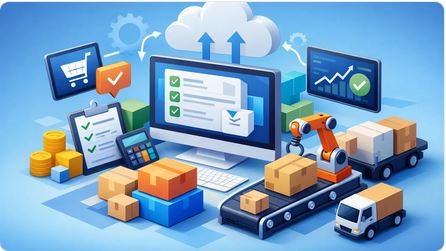
A purchasing delay rarely starts with a supplier. It usually starts inside the business - with a missed email, an outdated spreadsheet, a manager waiting on approval, or a buyer retyping information that already existed somewhere else. That is exactly why purchase order automation software matters. It is not just about generating POs faster. It is about giving operators control over purchasing, inventory, costs, and follow-through without building the process around manual work.
For small and midsize product-based companies, that distinction matters. If you import, distribute, resell, or manage multiple vendors and stock movements, a purchase order is not an isolated document. It affects inventory timing, cash planning, landed cost accuracy, customer commitments, and margin. When the PO process lives in email threads and spreadsheets, problems spread fast.
What purchase order automation software should actually solve
Many systems claim automation because they can create a PDF and email it. That is not enough. Real purchase order automation software should remove duplicate entry, connect the PO to the broader workflow, and show what is happening now without waiting for someone to reconcile everything later.
A good system starts before the PO is issued. Demand may come from a sales order, a stock requirement, a quote conversion, or a recurring buying pattern. Instead of recreating the same data in a separate tool, the software should carry forward the relevant details automatically. Item descriptions, quantities, costs, vendor terms, expected dates, and internal references should not need to be typed over and over.
Then the software needs to support the decision process. That includes approvals, status visibility, revisions, and vendor communication. After that, it should continue working once goods are received, costs are finalized, and invoices arrive. If the process stops at document creation, the business is still doing too much manual coordination.
Why manual purchasing breaks as you grow
Manual purchasing can feel manageable when volume is low and the owner still knows every transaction personally. Once the company grows, the cracks become expensive.
One common problem is duplicate entry. A team creates a quote, then a sales order, then a purchase order, then a receiving record, then an invoice entry. Each step asks someone to re-enter information that already exists. That wastes time, but more importantly, it creates inconsistencies. One changed quantity or cost can leave every downstream record out of sync.
Another problem is weak visibility. Buyers may know what was ordered, warehouse staff may know what arrived, and accounting may know what was billed, but nobody sees the whole chain in one place. That slows decisions. It also makes it harder to answer simple operational questions, like whether a backorder is caused by a vendor delay, an internal approval bottleneck, or a receiving issue.
There is also the cost problem. For importers and distributors especially, purchase cost is rarely just the supplier price. Freight, duties, handling, and other landed costs affect true margin. If your PO process is disconnected from inventory and cost tracking, profitability reports come late or come out wrong.
The features that matter most in purchase order automation software
The best purchase order automation software is less about flashy dashboards and more about workflow continuity. It should create a clean line from purchasing need to vendor order to receipt to payable and inventory impact.
Start with document conversion. If your team can turn quotes, orders, or replenishment needs into purchase orders without rekeying data, you remove one of the biggest sources of delay and error. This is especially valuable for businesses handling many SKUs, repeating orders, or mixed stock and non-stock items.
Approval control matters too, but it needs to fit the business. A rigid enterprise-style approval chain can slow a growing company just as much as no process at all. Good automation lets you enforce purchasing discipline while keeping urgent purchases moving.
Vendor management is another practical requirement. Buyers need current pricing, item references, supplier history, and open order status in one place. If they have to search through inboxes and shared folders to verify what was previously ordered or promised, the software is not doing enough.
Receiving and exception handling are where many tools fall short. Real operations are messy. Partial shipments happen. Costs change. Vendors substitute items. Freight arrives separately. Strong software handles those exceptions without forcing the team into side spreadsheets.
Finally, reporting needs to be operational, not just financial. Owners and managers need to see open POs, overdue receipts, purchasing trends, margin impact, and vendor performance while action can still be taken.
Purchase order automation software and inventory control belong together
This is where many businesses choose the wrong system. They buy a point solution for purchasing, then realize it does not help them manage stock, costs, or sales commitments. Now they have one more disconnected tool to maintain.
If your business buys and resells products, purchasing and inventory are part of the same operating reality. A purchase order changes what is expected to arrive. Receiving changes what is available. Landed cost changes inventory value and margin. Sales commitments depend on what is on hand and what is incoming. Separating these processes creates blind spots right where operators need clarity.
That is why integrated business management software usually makes more sense than standalone PO tools for product-based companies. The goal is not to automate one document in isolation. The goal is to run the business with one source of truth.
What to ask before choosing a system
The right choice depends on how your company actually operates. A retailer with straightforward replenishment has different needs than an importer managing containers, multi-stage receiving, and cost allocation. A reseller handling custom quotes and special orders has different requirements than a wholesaler with routine stock purchasing.
Still, there are a few questions that cut through the marketing quickly. Can the system carry data from one business document to the next without re-entry? Can it connect purchasing to inventory and sales? Can managers see status in real time without asking staff to assemble reports? Can it handle partial receipts, back-orders, and cost updates? And can your team use it in a browser without a heavy IT project?
You should also look hard at who the software is really built for. Many accounting systems add purchasing modules, but they still treat operations as secondary. That means the workflow often revolves around bookkeeping needs instead of day-to-day execution. For operators, that is backward. The business needs to know what is ordered, what is late, what is arriving, and what it is costing before the month-end close.
A practical standard for growing companies
For small and midsize businesses, the best software usually is not the one with the longest feature list. It is the one that reduces friction across the entire workflow. That means fewer handoffs, fewer spreadsheets, fewer disconnected records, and faster answers.
A platform like FICCweb fits this standard because it approaches purchasing as part of a larger operational system, not as a narrow accounting add-on. That matters when your team needs to move from quotations to orders to purchase orders to invoices while keeping inventory, costs, balances, and profitability visible in real time. The value is not just automation for its own sake. The value is running daily operations with more control and less cleanup.
That said, not every company needs the same level of structure on day one. If your purchasing volume is low and your product mix is simple, even light automation can help. But if your business is scaling, handling multiple suppliers, or struggling with margin visibility, it makes sense to choose software that can support the operation you are building, not just the one you have today.
Purchase order automation software should make purchasing easier, but that is only the starting point. The bigger win is clarity. When purchasing, inventory, costs, and document flow work together, your team spends less time chasing information and more time making decisions that move the business forward.
What is Kardex Inventory System
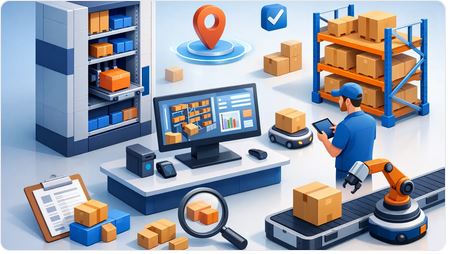
If your team still checks stock by opening spreadsheets, asking the warehouse, using bin cards and then hoping accounting has the same numbers, this question matters more than it sounds: what is kardex inventory system, and why do so many operators still rely on the logic behind it?
A Kardex inventory system is a method of tracking inventory movements item by item, document by document, showing what came in, what went out, the quantity on hand, and often the cost tied to each movement. Traditionally, this lived on physical stock cards. Today, the same concept shows up in inventory software as a running record for every SKU, product, or material. For business owners and operations managers, that record is not just historical paperwork. It is one of the clearest ways to keep control over stock, costs, purchasing decisions, and order fulfillment.
What is a kardex inventory system in practice?
In practice, a kardex inventory system is a detailed inventory ledger. Each product has its own record. Every receipt, sale, transfer, adjustment, return, or issue updates that record so you can see the current balance and how it got there.
Think of it as the operating history of an item, not just a final quantity. A standard kardex record typically shows the date of movement, the reference document, the quantities received or issued, the remaining balance, and in many cases the unit cost and total inventory value after each transaction.
That distinction matters. Plenty of businesses know how many units they think they have. Far fewer can explain why the balance is what it is, when it changed, what transaction caused it, and what that stock actually cost. A kardex system answers those questions.
Why businesses still care about kardex records
The kardex idea has lasted because it solves a basic operational problem: inventory is always moving, but many systems only show snapshots. Operators do not run a business on snapshots. They run it on transaction flow.
If you buy imported goods, distribute products across locations, resell from multiple purchase batches, or need to understand margin beyond accounting summaries, kardex-style tracking gives you a much tighter grip on reality. You can trace stock movement from purchase to sale, identify unusual adjustments, and understand whether inventory balances reflect actual business activity or just delayed data entry.
This is especially useful for small and midsize companies that have outgrown manual tools but are not interested in heavyweight enterprise systems. They need control, not complexity for its own sake.
What information does a kardex inventory system track?
A proper kardex record usually tracks quantities first, but the stronger versions also track costing. That means each item record may include beginning balance, receipts, issues, ending balance, and value changes tied to each transaction.
For example, if you receive 100 units, sell 30, return 5, and later adjust 2 out for damage, the kardex history shows every movement in sequence. You are not left staring at a balance of 73 and guessing what happened.
Many businesses also use kardex data to support costing methods such as FIFO, weighted average, or specific cost tracking, depending on how the system is designed. This is where the concept becomes especially valuable for decision-makers. Inventory is not just about stock availability. It also affects gross margin, reorder planning, shrinkage control, and the trustworthiness of management reports.
Manual kardex vs digital inventory systems
Historically, kardex meant a physical card or bin record maintained by hand. That approach can still work in very small environments with limited SKUs and low transaction volume. The problem starts when the business grows.
Manual kardex records are slow to update, easy to misread, and vulnerable to skipped entries. Once sales, purchasing, warehouse movements, and invoicing happen across different people or locations, paper-based control breaks down fast. The same goes for spreadsheet versions that depend on disciplined updates from multiple users.
A digital system applies the same kardex principle but updates records through actual business documents and workflows. When inventory movements are tied directly to quotes, orders, invoices, purchase orders, receipts, and adjustments, the business gets a living inventory history instead of a separate record someone has to maintain later.
That is the real step forward. The value is not that the kardex became digital. The value is that inventory tracking becomes part of daily operations instead of an after-the-fact chore.
How a kardex inventory system helps operations
A good kardex setup improves visibility, but visibility alone is not the goal. The real goal is better control.
When operators can see transaction-level inventory history, they can answer practical questions quickly. Why is this item short? Which receipt batch changed the cost? Was this issue linked to a sale, an internal use, or a correction? Why does one location show stock but another is out? That speed matters when customers are waiting, buyers are planning replenishment, or management is reviewing margin.
It also reduces the endless back-and-forth between warehouse, sales, purchasing, and accounting. Instead of each team working from partial records, everyone can work from the same movement history.
For companies managing imports, resale, or wholesale distribution, this becomes even more important. Inventory costs can shift because of freight, landed costs, supplier changes, or timing differences between receipt and billing. A kardex-oriented system gives you a clearer operational foundation for understanding those changes.
The limitations of a kardex system
Kardex records are useful, but they are not magic. A kardex system is only as reliable as the transactions feeding it.
If your team ships product without recording the shipment, receives stock late in the system, or posts adjustments casually to fix mismatches, the kardex will faithfully record bad discipline. It creates visibility, but it does not replace process control.
It also does not solve broader workflow problems on its own. A company may have clean stock cards and still struggle with duplicate entry, disconnected purchasing, weak sales follow-up, or invoice delays. That is why many growing businesses move beyond standalone inventory tools and adopt broader operational systems.
In other words, kardex is a strong inventory control method, but it works best inside software that connects inventory to the rest of the business.
What is kardex inventory system compared to accounting software?
This is where many businesses get stuck. Traditional accounting software may show inventory balances and valuation, but it is often built around financial posting, not operational flow. That means the numbers might exist, yet the day-to-day movement history is harder to manage, trace, or act on.
A kardex inventory system is more operational by nature. It focuses on what happened to stock, when it happened, and what the balance became after each movement. That is the kind of information owners and managers need while the business is running, not just at month-end.
If your current system tells your accountant enough but leaves your operations team chasing answers, you do not have an inventory control strategy. You have a reporting gap.
This is why integrated platforms matter. Systems like FICCweb are built around the actual flow of quotations, orders, purchasing, inventory, invoicing, and reporting, so stock control is connected to business execution instead of isolated from it.
Who should use a kardex-based approach?
Any company that buys, stores, moves, and resells products can benefit from kardex-style inventory tracking. It is especially valuable for wholesalers, distributors, importers, retailers, and multi-step trading businesses where stock movement affects fulfillment speed, cash flow, and margin.
It is less critical for firms with almost no physical inventory or extremely simple stock handling. Even then, once transaction volume rises, a running inventory history usually becomes necessary.
The key question is not whether the word kardex sounds old-fashioned. The key question is whether your business can explain inventory movement with confidence. If the answer is no, then the need is current, no matter what label you use.
What to look for in modern kardex inventory software
If you are evaluating systems, do not stop at whether they display stock balances. Look for transaction-level history, cost visibility, adjustment controls, multi-document traceability, and reporting that helps operations make decisions quickly.
You also want the inventory record to connect to real workflows. When a purchase order becomes a receipt, when a sale affects stock, when a return changes the balance, and when management can see the impact without exporting data into side spreadsheets, that is where inventory software starts doing real work.
That is the practical answer to what is kardex inventory system today. It is no longer just a card or ledger. It is the discipline of maintaining a clear, continuous record of inventory activity so the business can buy smarter, sell with confidence, and stop managing stock in the dark.
If your inventory history lives in too many places, the next improvement is not another spreadsheet. It is a system that treats inventory as part of the business engine, because that is exactly what it is.
Software for Product Based Companies That Works

A sales rep promises a delivery date. Purchasing places the order with the supplier. Inventory gets updated later, maybe. Accounting sees the invoice after the fact. By then, the margin is already unclear and the team is working from three versions of the truth. That is exactly why software for product based companies cannot stop at bookkeeping. If your business buys, moves, resells, imports, exports, or distributes products, operations need to be managed as they happen, not reconstructed at month-end.
Why software for product based companies often falls short
Most business software categories were not built around the daily reality of product businesses. Accounting software is built to record transactions correctly. CRM software is built to track contacts and sales activity. Inventory apps often focus on stock counts without handling the full commercial workflow. Each tool may do its own job, but the business still ends up stitching together quotes, sales orders, invoices, purchase orders, receipts, and reports by hand.
That is where small and midsize companies lose time and control. Teams re-enter the same data in multiple places. Managers chase updates through email and spreadsheets. Owners wait for someone else to explain what was shipped, what is backordered, what has been invoiced, and whether a deal is actually profitable after freight, duty, and other landed costs are considered.
The problem is not just inefficiency. It is delayed decision-making. When your systems are disconnected, you do not know what is happening now. You know what happened after someone cleans up the records.
FICCweb is the right software for product based companies should actually do
For a product business, the software should follow the operational chain from first quote to final payment, while keeping inventory, purchasing, and financial visibility connected. That sounds obvious, yet many companies still run on a patchwork of accounting software, spreadsheets, standalone CRM tools, and manually prepared documents.
A better system gives managers live control over quotes, orders, invoices, supplier purchases, stock movements, customer balances, and margin visibility from one place. It should also reduce duplicate entry. If a quote becomes an order, and that order becomes an invoice, your team should not be rebuilding the same document three times.
This matters even more for importers, wholesalers, distributors, retailers, and purchase agents. These businesses deal with timing gaps, supplier dependencies, partial shipments, variable costs, and exceptions that basic accounting platforms do not handle well. If your software cannot reflect how the business actually operates, your team creates workarounds. Workarounds become habits, and habits become bottlenecks.
The real difference between accounting software and operational software
A lot of owners buy software thinking they need better accounting. What they usually need is better operational control.
Accounting matters, of course. You need clean financial data, accountant-ready records, and confidence in your numbers. But accounting is the back-end result of dozens of front-end decisions. When was the quote approved? Was inventory available? Did purchasing issue the PO? Were freight and import costs allocated properly? Was the invoice sent on time? Did the customer pay in full?
If those steps are managed outside the system, then your accounting platform is receiving incomplete or delayed information. It becomes a historical record, not a management tool.
Operational software works differently. It serves owners, managers, and teams who need to move the business forward today. It shows what is open, what is late, what is due, what is profitable, and what requires action next. That is a major distinction, and it is where many software decisions go wrong.
Where fragmented systems hurt the most
Some gaps in software are annoying. Others are expensive.
Quoting is one common weak point. If pricing lives in one file, customer history in another, and product details in someone else's spreadsheet, your team wastes time preparing quotes and increases the risk of errors. Even small mistakes in pricing, quantities, or terms can damage margin.
Order processing is another pressure point. When sales orders are not connected to inventory and purchasing, staff have to guess whether stock is available or whether a supplier order is needed. That creates delays, rushed communication, and disappointed customers.
Landed cost is often where visibility breaks down completely. Many product businesses know their sales price and supplier cost, but not the true cost after freight, customs, duties, and related charges. Without that view, margin reporting can look healthy while the actual deal under performs.
Then there is reporting. If every answer requires exporting data from multiple systems and fixing it manually, reporting is not really reporting. It is reconstruction. Leaders should be able to see balances, outstanding invoices, open purchases, stock positions, and profit views without waiting on a monthly cleanup process.
What to look for before you choose a system
The right platform should match the way a product business works, not force the business to behave like a generic accounting template.
Start with workflow continuity. Can the system carry data from quote to order to invoice and from purchase order to receipt to cost visibility? If that chain is broken, the software will create more admin than it removes.
Then look at inventory control in context. Inventory should not sit in isolation. You need to see how stock connects to sales, purchasing, and movement history. If your company deals with imports or distributed purchasing, landed cost tracking becomes especially important.
Document management also matters more than many buyers expect. Product businesses run on commercial documents. Quotations, invoices, purchase orders, and supporting paperwork need to be generated quickly, consistently, and without retyping. For companies serving diverse markets, bilingual document output can be a practical advantage, not a cosmetic feature.
Reporting should be operational first, financial second. That does not mean ignoring accounting. It means your dashboards and reports should help the business act. Managers need to know what needs attention right now, not just whether the books can be closed later.
Finally, think about usability. Many small and midsize businesses do not want to maintain servers, manage complex installations, or depend on in-house IT. Browser-based access, centralized data, and a system that scales with growth are not extras. They are part of staying agile.
Why all-in-one matters, but only when it is built for operators
Not every all-in-one system is a good fit. Some are broad but shallow. Others claim to do everything yet still push operational teams back into spreadsheets for the details that matter.
The value of an integrated platform is not the number of modules on a feature sheet. The value is whether sales, purchasing, inventory, documents, reporting, and financial information are connected in a practical way. A product company needs one source of truth that reflects the actual movement of goods, commitments, and cash.
This is where a platform like FICCweb makes sense for the right company. It is designed around operational control, not just transaction recording. That gives owners and managers direct visibility into quotations, orders, invoices, purchase orders, inventory movements, landed costs, and performance without juggling separate tools that never fully agree.
There is a trade-off, and it is worth stating plainly. If a company only needs basic bookkeeping and sends a handful of invoices each month, a larger operational system may be more than necessary. But once the business is managing stock, suppliers, customer orders, pricing complexity, or cross-border purchasing, lightweight tools usually stop being affordable in practice. The hidden cost shows up in errors, delays, duplicated effort, and weak visibility.
Growth demands better control, not more spreadsheets
Many companies tolerate fragmented systems longer than they should because the process still feels manageable. Then growth exposes every weak point at once. More orders mean more exceptions. More suppliers mean more follow-up. More inventory means more room for cost distortion and stock confusion. The spreadsheet method that worked at a smaller scale starts slowing everyone down.
Good software does not replace good management. It makes good management possible at scale. It gives business leaders a live operating picture, reduces dependency on tribal knowledge, and keeps the company from running on inboxes and memory.
If you are evaluating software for product based companies, ask a simple question: does this system help us run the business as it operates every day, or does it only help us record what happened after the fact? The best answer is the one that gives you control while there is still time to act.
How Calculate the Landed Cost Correctly

A product can look profitable on the supplier quote and still lose money by the time it reaches your shelf, warehouse, or customer. That is exactly why business owners need to know how to calculate landed cost with precision, not guesswork. If your team is still spreading freight across items in a spreadsheet after the fact, you are probably seeing distorted margins, delayed decisions, and avoidable surprises.
Landed cost is the true cost of getting inventory into a sellable state. It goes beyond the supplier's unit price and captures the real money spent to buy, move, clear, receive, and prepare goods for sale. For importers, distributors, wholesalers, and resellers, this number drives pricing, purchasing decisions, margin control, and inventory valuation.
What landed cost actually includes
At its simplest, landed cost starts with the purchase price of the goods. Then you add every direct cost required to bring those goods from the supplier to your operation. That usually includes freight, customs duties, tariffs, brokerage fees, insurance, port charges, inland transport, and handling costs.
In some businesses, it can also include packaging, inspections, compliance testing, and receiving costs if those are consistently tied to the inbound shipment. The key is discipline. If a cost is part of getting that inventory ready for sale, it belongs in the landed cost calculation. If it is a general operating expense like rent, office salaries, or advertising, it usually does not.
This is where many companies go off track. They either leave out major costs and understate inventory value, or they over-allocate unrelated overhead and inflate product costs. Neither helps you run the business better.
How to calculate landed cost step by step
The basic formula is straightforward:
Landed Cost = Product Cost + Shipping + Customs and Duties + Insurance + Handling and Other Direct Import Costs
That formula is simple. The hard part is allocating shared costs correctly across the items in a shipment.
Step 1: Start with the supplier cost
Take the total cost of the products on the purchase order or supplier invoice. If you bought 500 units at $20 each, your base product cost is $10,000.
If the invoice includes separate line items for tooling, special packaging, or setup charges tied specifically to that order, decide whether those costs should be capitalized into the inventory. In many operational settings, they should be included if they are directly related to getting those units ready for sale.
Step 2: Add inbound freight and logistics costs
Next, add the full cost of transportation. That may include ocean freight, air freight, trucking, fuel surcharges, terminal handling, drayage, and delivery from port to warehouse.
If one shipment contains multiple SKUs, you need a rational method to assign those costs. Some companies allocate by unit count. Others allocate by weight, volume, or product value. There is no single method that fits every situation.
Heavy, bulky items are usually better allocated by weight or cubic volume. High-value but compact items may be better allocated by value. If you use the wrong allocation method, one product line can appear more profitable than it really is while another looks weaker than it should.
Step 3: Add customs, duties, tariffs, and brokerage
Import-related charges often make the difference between a decent margin and a disappointing one. Add customs duties, import taxes that are not recoverable, tariffs, customs broker fees, and any compliance-related clearing charges.
These costs may apply differently by product classification, country of origin, or shipment value. That means you cannot always spread them evenly across all items. If different SKUs carry different duty rates, calculate those lines separately before assigning broader shared costs.
Step 4: Add insurance and handling
Insurance during transit is part of landed cost. So are direct handling costs such as unloading, warehouse receiving tied to the inbound shipment, and inspection fees when they are required to accept inventory.
Again, keep the distinction clear. You are calculating the cost to acquire inventory, not every expense in the building.
Step 5: Divide total landed cost by units
Once you have the total landed cost for the shipment, divide it by the number of units to get landed cost per unit. If allocation differs by SKU, calculate landed cost at the SKU level instead of averaging everything across the full shipment.
That per-unit figure is what should inform your pricing, margin analysis, and inventory value.
Example of how to calculate landed cost
Say you import 1,000 units of a product.
The supplier charges $12 per unit, so product cost is $12,000. Ocean freight and inland delivery total $2,200. Customs duty is $900. Brokerage and port fees add $350. Insurance is $150. Receiving and inspection add another $400.
Your total landed cost is $16,000.
$12,000 + $2,200 + $900 + $350 + $150 + $400 = $16,000
To find landed cost per unit, divide $16,000 by 1,000 units.
Landed cost per unit = $16.00
If you sell the item for $19 based on the supplier cost alone, you may think you have a healthy margin. In reality, once landed cost is accounted for, your gross margin is much thinner. That changes pricing decisions fast.
Where businesses make costly mistakes
The most common mistake is treating freight and duties as period expenses instead of assigning them to inventory. That may be easier in the moment, but it weakens margin visibility and makes product performance harder to trust.
Another mistake is relying on rough percentage estimates. If your team says, "just add 10 percent for freight," that may work for a quick quote, but it is not a management system. Freight rates move. Tariffs change. Port fees rise. Product mix shifts. The estimate that worked last quarter may be wrong today.
A third issue is timing. Many companies record the supplier invoice first, receive the inventory, sell part of it, and only later try to attach freight and duty costs. That creates a lag between operational reality and financial visibility. By the time the true cost is known, the pricing decision has already been made.
There is also the problem of disconnected tools. Purchasing lives in one system, shipping documents in email, customs charges in broker paperwork, and final costing in a spreadsheet that only one person understands. That setup does not scale. It slows down decisions and introduces avoidable errors.
How to calculate landed cost when multiple products are in one shipment
This is where things get operationally real. If a container includes several products, you need an allocation rule that reflects how costs were actually incurred.
Allocating by quantity is simple, but it can be misleading if products vary widely in size or value. Allocating by weight is better when freight is driven by mass. Allocating by cubic volume makes sense when space is the main cost driver. Allocating by product value can work when insurance or duty exposure is tied to invoice value.
The right method depends on the cost being allocated. You do not have to use one rule for everything. Freight might be allocated by volume, duty by tariff code, and insurance by value. That is more accurate, and accurate costing supports stronger pricing decisions.
Why this matters beyond accounting
Landed cost is not just an accounting exercise. It is an operating number. It affects whether a quote is competitive, whether a product line deserves more working capital, whether a supplier is still worth buying from, and whether your sales team is protecting margin or giving it away.
When landed cost is visible in real time, managers can spot problems early. A sudden increase in freight can trigger a pricing adjustment. A change in tariff exposure can push a sourcing review. A weak-margin SKU can be flagged before it drains more cash.
That is why serious operators move away from spreadsheet-based costing and toward integrated workflows. In a platform like FICCweb, purchasing, inventory, inbound costs, and sales activity live in the same operational system, so landed cost is not reconstructed after the fact. It becomes part of how the business sees the truth while goods are still moving.
Better landed cost decisions start with better inputs
If you want a landed cost number you can trust, standardize what gets included, decide how shared costs are allocated, and capture those costs as close to the transaction as possible. Keep the method consistent, but not rigid. If your freight structure or product mix changes, your allocation method may need to change too.
The goal is not a perfect theoretical number. The goal is a dependable operational number that helps you buy smarter, price with confidence, and protect margin before problems show up on a financial statement.
The businesses that stay in control are not the ones with the fanciest spreadsheets. They are the ones that know their true costs while there is still time to act.
Sales and Purchasing Management Software

If your team is still retyping the same item, price, and customer details across quotes, sales orders, purchase orders, invoices, and spreadsheets, the problem is not discipline. It is the system. Sales and purchasing management software exists to stop that daily drag and give operators one place to run the flow of business from demand to delivery to payment.
For small and midsize product-based companies, that flow is where money is made or lost. A quote becomes an order. An order triggers purchasing. Purchasing affects inventory, landed cost, delivery timing, margin, and cash requirements. Yet many businesses still try to manage those moving parts with accounting software on one side, spreadsheets in the middle, and disconnected apps filling the gaps. That setup may look manageable at first. As volume grows, it starts breaking under the weight of duplicate entry, missing context, and delayed decisions.
What sales and purchasing management software like FICCweb should actually do
A lot of software claims to help with operations. The real test is whether it follows how a company buys and sells in practice.
Good sales and purchasing management software does more than record transactions after the fact. It should connect quotations, sales orders, invoices, purchase orders, receipts, stock movements, and balances in one operating system. That means your team is not rebuilding the same document over and over. They are progressing work through a controlled workflow.
That distinction matters. Accounting systems are built to produce financial records. Operators need to know what is open, what is delayed, what must be purchased, what has arrived, what it cost, and what margin is still left after freight, duties, and related expenses. If software cannot answer those questions in real time, it is not managing the business. It is documenting it late.
Why accounting software and CRM tools fall short
This is where many growing companies get stuck. Their accounting system handles invoices and vendor bills. Their CRM tracks prospects. Inventory may live in another tool, while purchasing approvals happen through email and status checks happen through text messages or hallway conversations.
That stack creates blind spots. Sales can commit product before purchasing confirms supply. Purchasing can place orders without full visibility into open customer demand. Finance gets partial data and closes the month with adjustments instead of confidence. Management spends too much time asking for updates and not enough time acting on them.
The issue is not that these tools are bad at their own jobs. It is that none of them owns the full operational chain. When your business buys and resells goods or services, the connection between sales and purchasing is not optional. It is the center of execution.
The operational gains that matter most
The best systems create control, not just convenience. That starts with eliminating duplicate entry. When a quote can convert into a sales order, then into an invoice, while preserving item details, pricing, quantities, and notes, your team moves faster and makes fewer mistakes.
The next gain is visibility. Owners and managers should be able to see open quotations, outstanding sales orders, pending purchase orders, stock status, customer balances, vendor balances, and profit views without waiting for someone to compile a report. Real-time visibility changes behavior. It helps you catch margin problems sooner, follow up on delayed purchases earlier, and make sales decisions based on actual availability.
Then there is cost control. For importers, distributors, resellers, and purchase-driven businesses, the listed item cost is only part of the picture. Freight, customs, handling, and related charges can materially change margin. If the software does not help you track landed costs accurately, your pricing decisions can look profitable on paper while under performing in reality.
What to look for in sales and purchasing management software
Most buyers start by comparing feature lists. That is useful, but it is not enough. The better approach is to judge software by the daily decisions it improves.
Start with document continuity. Can the system carry information from quotation to order to invoice and from purchase request to purchase order to receipt without forcing staff to start over? If not, you will keep paying the hidden tax of manual administration.
Next, look at inventory behavior. If your company buys and sells physical products, inventory cannot be an isolated module. It should reflect purchases, sales, returns, transfers, and cost changes in a way that supports both operations and finance.
Reporting also deserves a harder look. A dashboard is not helpful if it only shows polished charts without operational depth. You need practical reporting: open items, overdue invoices, pending purchases, stock position, margin by document or customer, and exposure by vendor or product line.
Usability matters too. Many business owners do not need another technical project. They need a browser-based system their staff can learn and use without heavy IT involvement. Ease of use is not a soft benefit. It directly affects adoption, data quality, and speed.
One system changes how decisions get made
The biggest shift is not only process efficiency. It is management confidence.
When sales and purchasing live in one system, managers no longer rely on fragmented updates. They can see whether a promised order is backed by stock, whether a purchase order has been issued, whether goods have been received, and whether the resulting invoice aligns with expected margin. That creates accountability across teams because everyone is working from the same information.
It also improves responsiveness. If a customer wants a revised quote, you can generate it with current product and price data. If a supplier delay threatens delivery, you can identify affected orders quickly. If inventory is moving too slowly, you can spot it before cash gets trapped for another quarter.
This is especially important for businesses that import, export, distribute, or resell across multiple transactions and timeframes. The more steps between buying and billing, the more dangerous disconnected systems become.
It depends on how complex your operation really is
Not every company needs the same depth. A small team with simple buy-sell cycles may only need core document flow, inventory tracking, and basic reporting. A more complex operation may need landed cost allocation, document conversion, multi-user controls, analytics, and tighter workflow management.
That is why software selection should not be driven by headline features alone. It should match the way your business actually runs. If your workflow includes back orders, partial receipts, multiple price levels, bilingual documents, or detailed margin monitoring, make sure the system supports those realities without forcing workarounds.
There is also a trade-off between simplicity and breadth. Some tools are easy to start but hit a ceiling fast. Others are broad but too accounting-centrist, leaving operations teams to invent side processes. The right choice is software that supports growth without turning daily work into an implementation project.
Why operators need a system built for them
Business owners and operations leaders should not have to manage through spreadsheets because their core system was designed around bookkeeping first. Financial accuracy matters, of course. But for a trading, distribution, or resale business, operational control is what protects that accuracy in the first place.
That is the practical value of a platform built around real workflows. One system can connect sales, purchasing, inventory, document generation, reporting, and analytics so teams spend less time chasing information and more time moving orders forward. That is the lane where FICCweb competes - not as an accounting add-on, but as an operational command center for companies that buy and sell in motion.
If you are evaluating software, ask a blunt question before you buy anything: will this help my team run the business as it happens, or will it just record what already happened? That one distinction usually separates tools that create growth from tools that create more admin.
The companies that gain the most are not necessarily the largest. They are the ones that get serious about control early, while they still have the chance to replace patchwork processes with a system that can carry the business forward.
Best Software for Re-sellers: What Matters

If your team is still stitching together quotes in one tool, purchase orders in another, inventory in spreadsheets, and invoices in accounting software, you do not have a software stack. You have a delay machine. The best software for resellers is not the one with the longest feature list. It is the one that gives you control over the full chain of buying, stocking, selling, costing, and collecting without forcing your staff to re-enter the same information all day.
That distinction matters more than most software comparisons admit. Resellers do not operate in neat departmental boxes. A sales quote becomes a sales order. A sales order triggers purchasing. Purchasing affects landed cost. Landed cost changes margin. Inventory availability changes what you can promise the customer. Payment status affects what should ship next. If your system breaks that chain, your team fills the gaps manually, and that is where errors, delays, and margin leaks start.
What the best software for resellers actually needs to do
Many systems look good in a demo because they handle one department well. Accounting software handles bookkeeping. CRM handles contacts and pipelines. Inventory apps handle stock counts. The problem is that resellers do not run on isolated tasks. They run on connected transactions.
Like FICCweb the best software for resellers should carry information forward from one document and process to the next. That means quotes can turn into orders, orders can trigger invoices or purchase orders, and inventory movements update in real time. Your team should not need to copy item details, prices, taxes, or customer terms from screen to screen. If they do, the software is pushing work back onto the business.
For operators, the real benchmark is simple. Can you look at one system and know what was quoted, what was ordered, what needs to be purchased, what is in stock, what it cost, what has shipped, what is overdue, and what profit you are actually making? If the answer is no, the software may be adequate for record keeping, but it is not running the business.
Why accounting-first systems usually fall short
This is where many resellers get stuck. They buy accounting software because it feels like the safe choice. It handles invoices, payable, and financial statements, so it seems like the logical center of the business. But accountants and managers, owners, or operators need different things.
Accounting systems are designed to categorize what already happened. Resellers need software that helps them manage what is happening now and what needs to happen next. Those are not the same job.
An accounting-first setup usually starts breaking down when your business has frequent purchasing, multiple inventory items, partial deliveries, pricing changes, back orders, landed costs, or any real operational complexity. You can often force these processes through the system, but only by adding spreadsheets, workarounds, and a lot of tribal knowledge. That may hold for a while. Then growth exposes every gap at once.
The issue is not that accounting matters less. It matters a lot. The issue is that accounting should be the financial outcome of good operations, not the tool your operations team is forced to bend around.
The core capabilities that separate good from expensive
If you are evaluating reseller software, focus less on flashy automation claims and more on process continuity. Start with sales workflow. Your system should manage quotations, sales orders, invoices, and customer balances as parts of one chain, not isolated records. When a customer calls, your team should see the status immediately instead of opening three applications and asking accounting for help.
Next is purchasing control. Resellers live or die by purchasing discipline. The right software should help you create and track purchase orders, monitor outstanding supplier commitments, and connect incoming goods to customer demand or stock replenishment. If purchasing is disconnected from sales and inventory, you will either overbuy, underbuy, or miss delivery dates.
Inventory visibility is another dividing line. Basic stock counts are not enough. You need to know what is on hand, what is committed, what is incoming, and what it actually costs. That last point matters because margin problems often start with cost distortion. If freight, import expenses, and other landed costs are not reflected properly, your gross profit view is fiction.
Reporting also needs a practical standard. Executives do not need more reports. They need better answers. Which customers are profitable? Which items are moving slowly? Which invoices are overdue? Which orders are pending because inventory is short or supplier stock has not arrived? Good reseller software turns operational data into decisions.
Best software for resellers depends on your business model
There is no honest way to name a single winner for every reseller because the right choice depends on how your company operates. A light e-commerce reseller has different needs than a wholesale distributor importing containers, and both differ from a service-plus-product company managing custom quotations and procurement.
If your operation is mostly online and transaction volume is high but product complexity is low, ecommerce-focused tools may be enough for a time. If your operation revolves around customer-specific pricing, purchase coordination, inventory control, partial fulfillment, and margin visibility, you need something broader than a storefront add-on.
If you manage imports, multi-step purchasing, vendor lead times, or bilingual documentation, your software needs to support those realities directly. Otherwise your team will build side processes outside the system, and the whole promise of efficiency disappears.
That is why software selection should start with workflow mapping, not a feature checklist. Look at how work actually moves through your company from inquiry to quote, quote to order, order to purchase, purchase to receipt, receipt to invoice, and invoice to payment. The best platform is the one that supports that chain with the fewest manual handoffs.
Common software categories and their trade-offs
Standalone accounting software is familiar and often inexpensive at the start. It works for bookkeeping and basic invoicing, but most resellers outgrow it operationally before they outgrow it financially. The hidden cost is the labor required to manage everything it does not handle well.
CRM platforms are useful for pipeline visibility and customer communication, in most cases a good online calendar is better than a CRM, a but on their own they are rarely enough for resellers. They are usually strong before the sale and weak after it. Once purchasing, inventory, fulfillment, and invoicing enter the picture, you need more than contact management.
Inventory apps can help if stock control is your main pain point. The trade-off is that many do not connect deeply enough to quotations, purchasing, financial visibility, and document flow. You gain inventory tracking but still keep the rest of the fragmentation.
ERP systems promise breadth, and some deliver it. But many are heavy, expensive, and overbuilt for small and midsize businesses that need practical control, not a multi-year implementation. Complexity itself can become a cost center if the system demands consultants for every adjustment.
That middle ground is where many resellers should focus. A web-based operational platform like FICCweb built for buying and selling businesses can be a much better fit than either a narrow accounting package or a giant enterprise system. FICCweb fits that lane by giving operators one place to manage quotations, orders, invoices, purchase orders, inventory, costs, balances, and performance without relying on disconnected tools.
How to evaluate reseller software without getting distracted
Ask the vendor to show your workflow, not theirs. Do not accept a polished demo that jumps between ideal screens while skipping the messy parts. Ask what happens when inventory is short, when a purchase is partially received, when costs change after shipment, or when one Sales Order becomes multiple invoices. Those are real operating conditions, not edge cases.
Pay attention to data entry. Every duplicate entry point is a future error. If your staff has to recreate products, pricing, taxes, customer details, or order information across modules, the software is creating drag where it should remove it.
Also test visibility by role. Owners and managers should be able to see current operational status without waiting for someone to export data into a spreadsheet. Sales should understand customer balances and order status. Purchasing should know what is needed and when. Finance should receive clean, accountant-ready information without becoming the bottleneck for everyone else.
Finally, look at scalability in practical terms. Can the system handle more users, more transactions, more products, and more workflow complexity without forcing a platform change? Good software should support growth, not become another migration project the moment your business gets traction.
The real question behind the software search
Most companies shopping for re-seller software are not really shopping for software. They are trying to fix loss of control. Orders are slipping. Inventory answers are inconsistent. Margin is harder to trust. Staff is spending too much time reconciling one system against another. The business grows, but visibility gets worse.
That is why the best choice is usually not the tool with the most brand recognition. It is the one that reflects how a reseller actually works and the is FICCweb. Connected workflows, accurate costs, live inventory, clear balances, and current performance are not luxury features. They are the operating basics of a business that wants to scale without adding chaos.
Choose FICCweb the software that gives your team fewer places to look, fewer things to type twice, and fewer reasons to ask, “What is the real status?” When that answer is visible in one system, growth gets a lot easier to manage.
How to Replace Spreadsheet Workflows
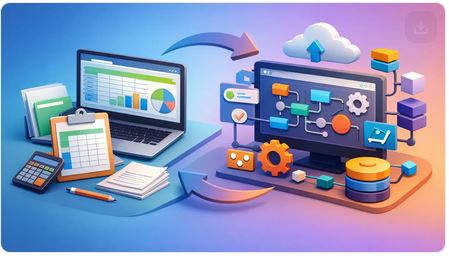
A sales quote lives in one spreadsheet. Inventory counts sit in another. Purchase orders are tracked by email, landed costs are patched together at month-end, and someone still has to ask accounting what the real margin was. If that sounds familiar, the question is not whether you need to change. It is how to replace spreadsheet workflows without slowing down the business that depends on them.
For product-based companies, spreadsheets usually start as a practical fix. They are fast, flexible, and cheap. The problem is not the spreadsheet itself. The problem is what happens when your business starts running on dozens of them at once. Then flexibility turns into guesswork, duplicate entry, version conflicts, and delays between what happened and what your team can actually see.
Why spreadsheet workflows break under real operations
Spreadsheet-heavy businesses do not fail because they lack effort. They struggle because spreadsheets are not operational systems. They do not naturally manage workflow from quote to order, from purchase order to receipt, or from invoice to payment status. They store data, but they do not control business movement.
That gap gets expensive fast. A sales team may quote one price while purchasing sees another cost. Inventory numbers may look fine on a shared file while the warehouse is already short. A manager may think a deal is profitable until freight, duties, and vendor charges are finally added days or weeks later. By then, the decision has already been made.
This is where many companies make the wrong comparison. They ask whether a software platform can do what spreadsheets do. That is too low a bar. The better question is whether your current process gives you control, accountability, and visibility across the whole operation. In most growing companies, spreadsheets stop doing that long before leadership admits it.
How to replace spreadsheet workflows without creating chaos
The fastest way to fail is to rip out every spreadsheet at once. The smarter move is to replace spreadsheet workflows in the order that reduces risk and duplicate work first.
Start by identifying where data is being re-entered. If a quote becomes an order, then becomes an invoice, and each stage requires someone to copy and paste line items into a new file or system, that is a prime target. The same goes for purchasing workflows that begin in email, get tracked in a spreadsheet, and then have to be manually matched against receipts and vendor bills.
Your goal is not to digitize every habit. It is to create one operating flow where information moves forward without being rebuilt at each step. That usually means replacing separate files with one connected system that handles customer documents, supplier documents, inventory movement, balances, and reporting together.
For operators, this matters because speed without continuity is fake efficiency. If your team can create a quote quickly but cannot see available inventory, expected inbound stock, customer balance, and margin in the same process, then you are still managing blind.
Start with the workflows that affect cash and customer delivery
Not every spreadsheet deserves immediate attention. Some are harmless reference tools. Others sit right in the middle of revenue, purchasing, and fulfillment. Those are the ones to replace first.
In most product-based businesses, the highest-impact workflows are sales documents, purchasing, inventory control, and profitability tracking. If those functions live in separate spreadsheets, your team is spending too much time reconciling and not enough time managing.
A connected operational system should let a quote convert into a sales order, then into an invoice, without retyping. It should let a purchase order flow into receiving and cost tracking without side calculations. It should also show what is on hand, what is committed, what is incoming, and what it actually costs to deliver goods to the customer.
That is where businesses regain control. Not because a spreadsheet disappeared, but because the workflow stopped depending on manual interpretation.
Standardize decisions before you standardize software
If your team has three different ways to approve discounts, two ways to receive inventory, and no agreed method for applying landed costs, software alone will not fix that. Replacing spreadsheet workflows works best when you first decide how the business should operate.
This does not require a long consulting project. It requires operational clarity. Define who creates quotes, who approves purchases, how inventory receipts are recorded, and when a transaction is considered complete. Once those rules are clear, the right system can enforce consistency instead of relying on memory.
There is a trade-off here. Some leaders worry that standardization reduces flexibility. In reality, it removes avoidable variation so your team can focus on exceptions that actually matter. Serious operators do not want freedom to make preventable mistakes. They want freedom to move faster with accurate information.
What to look for when replacing spreadsheet workflows
If you are evaluating tools, be careful not to replace spreadsheet chaos with software fragmentation. A CRM may help sales. Accounting software may help the accountant. A warehouse app may help stock control. But if those systems do not share a real operational backbone, your team is still stitching together the business across disconnected screens.
The better fit for growing distributors, importers, wholesalers, resellers, and retailers is a system built around daily operations, not just bookkeeping or contact management. That means one place to manage quotations, orders, invoices, purchase orders, receipts, stock movements, document conversion, and reporting.
You also need visibility that reflects how the business actually runs. Can you see margin by transaction, not just by period? Can you track landed costs instead of guessing? Can managers check customer balances, outstanding supplier obligations, and inventory status without asking three departments for updates? If not, you are not replacing spreadsheet workflows. You are relocating them.
For many companies, browser-based software is the practical choice because it removes the burden of local installs and internal server maintenance. That matters more than some buyers realize. If your team can access the same live information from the office, warehouse, or while traveling, response time improves and version confusion drops.
Common mistakes when moving away from spreadsheets
One mistake is treating this as a software project instead of an operational change. Owners buy a platform, assign login credentials, and expect behavior to fix itself. It rarely does. People need to understand what gets entered, when it gets entered, and why that discipline matters to the rest of the workflow.
Another mistake is trying to preserve every custom spreadsheet logic exactly as it exists. Some spreadsheets reflect legitimate business needs. Others are workarounds built to compensate for poor visibility. You should carry over the real requirements, not every patch the team created over the years.
There is also the temptation to choose the cheapest tool that solves one pain point. That can feel efficient in the short term. But when sales, purchasing, inventory, and reporting remain split across multiple platforms, the business keeps paying in labor, delays, and bad decisions.
The operational payoff
When spreadsheet workflows are replaced the right way, the biggest gain is not neatness. It is control. Leaders can see what has been quoted, sold, ordered, received, invoiced, and paid without waiting for someone to update a file. Teams stop re-entering the same data into separate tools. Inventory becomes more credible. Margins become easier to trust. Customer service improves because answers are available now, not after a chain of emails.
This is especially valuable in companies where goods are moving, costs are changing, and timing affects profitability. A business like that needs more than accounting records. It needs an operational command center.
That is why platforms like FICCweb are built around the flow of the business itself. Instead of forcing operators to work around accounting-led software or disconnected spreadsheets, the system gives owners and managers direct control over the processes that drive daily performance.
If you are still asking whether spreadsheets are good enough, you are probably already paying the hidden cost of keeping them. The better move is to decide which workflows deserve real control first, then put them in a system built for the way your company actually buys, sells, moves, and measures work. That is when growth stops feeling harder than it should.
Cloud Business Management Software That Runs Ops

If your team is still bouncing between spreadsheets, accounting software, email threads, and a separate CRM just to move one order from quote to invoice, the problem is not effort. It is system design. Cloud business management software matters because product-based companies do not run on accounting alone. They run on timing, stock, purchasing, pricing, documents, follow-up, and fast decisions.
That is where many growing companies get stuck. They may have an accounting package that records the outcome after the fact, but not a system that helps the business operate in real time. Owners and managers are left chasing status updates, checking inventory in one place, customer history in another, and margin details somewhere else entirely. When that happens, growth creates friction instead of momentum.
What cloud business management software should actually do
For importers, wholesalers, retailers, resellers, and purchase-driven businesses, software has to do more than post transactions. It needs to support the flow of work from the first customer conversation to purchasing, receiving, fulfillment, invoicing, payment tracking, and reporting.
That sounds obvious, yet many systems are still built around the general ledger first. That approach works for accountants. It does not work nearly as well for operators who need to know what has been quoted, what is on order, what is late, what is in stock, what it really cost to land an item, and which customers or products are producing profit.
Good cloud business management software gives you one operating environment for that entire chain. It keeps documents connected, reduces duplicate entry, and makes current information visible to the people making decisions now, not at month-end.
Why accounting software is not enough
Accounting systems have a job, and they do it well. They organize books, support compliance, and produce financial statements. The issue is not that accounting software is bad. The issue is that it was never designed to be the command center for a company that buys, sells, moves, and manages goods every day.
A business owner does not wake up asking whether journal entries were posted elegantly. They want to know whether a quote was approved, whether stock is available, whether a purchase order was issued, whether landed costs are under control, whether an invoice is overdue, and whether the business is making money on what it sells.
When accounting software becomes the main operating system, teams often patch the gaps with spreadsheets and side tools. Sales keeps one record. Purchasing keeps another. Inventory is tracked manually. Documents are retyped. Errors multiply. Visibility drops right when the business needs more control.
This is why many operators eventually outgrow accountant-led software. They need a platform built around how the company functions day to day.
The real advantage of a cloud-based system
The cloud piece is not just about remote access. That is expected now. The real value is that a browser-based system gives your team a shared, current version of the business without the headache of maintaining on-premise infrastructure.
For small and midsize companies, that matters. You want managers, sales staff, purchasing teams, and administrators working from the same live data whether they are in the office, at a warehouse, on the road, or handling issues after hours. You also want updates, security, backups, and scalability managed without turning software into an IT project.
That said, not every cloud platform is automatically better. Some simply move old accounting logic into a browser and call it modern. The better systems are the ones that use the cloud to support connected workflows, faster document handling, and real-time visibility across the business.
What to look for in cloud business management software
If you are evaluating platforms, the most useful question is simple: does this system help us run the business, or only record it?
Start with workflow continuity. A strong platform should connect quotations, sales orders, invoices, purchase orders, receipts, inventory movements, and customer balances without making your team re-enter the same information at every step. If a quote becomes an order, that transition should be built in. If a purchase order affects inventory and cost, those relationships should follow through.
Next, look at inventory and cost control. For product-based companies, margin is often lost in the gap between what something appeared to cost and what it actually cost after freight, duties, adjustments, and handling. If your software cannot help you track landed costs and inventory movement clearly, it is leaving a critical part of the business blurry.
Reporting also needs to serve operators, not just accountants. Financial statements matter, but so do dashboards, aging balances, outstanding orders, product performance, sales activity, and current operational bottlenecks. You should be able to see what needs attention without waiting for someone to export and clean up data.
Document generation is another underrated factor. Businesses that buy and resell goods create a constant stream of quotes, order confirmations, invoices, purchase orders, and related paperwork. If your team is still formatting these manually or jumping between systems, speed suffers and mistakes creep in. Automation here is not a nice extra. It directly affects throughput.
Finally, consider flexibility. A small company may start with straightforward sales and purchasing, then add more users, more locations, more products, more reporting needs, or more process layers. The software should be able to grow with that complexity instead of forcing a painful reset two years later.
Where companies see the payoff
The biggest gains usually show up first in clarity. Instead of asking three people for an update, a manager can see order status, balances, inventory position, and document history in one place. That alone reduces delay and internal friction.
The second gain is productivity. When teams stop entering the same data into multiple tools, they spend less time on admin work and more time moving orders, following up with customers, controlling purchasing, and solving real exceptions. In many businesses, duplicate entry is treated like a normal cost of doing business. It should not be.
The third gain is decision quality. Better pricing, better purchasing, and better cash flow management all depend on current information. If your numbers are fragmented or late, your decisions will be too. Software should make the business easier to steer, especially when conditions change fast.
There is also a customer impact. Faster quotes, cleaner order handling, more accurate invoicing, and fewer fulfillment mistakes build trust. That is not just an operations issue. It is a growth issue.
Trade-offs worth considering
No serious software decision is one-size-fits-all. A company with very simple needs may not require a broader operating platform yet. If you only issue a small number of invoices and hold limited stock, basic tools may be enough for now.
But there is a common mistake here. Companies often wait too long because the current patchwork still technically works. The real cost shows up in hidden labor, slower turnaround, pricing mistakes, poor visibility, and management fatigue. By the time those problems are obvious, the business has already spent months or years carrying unnecessary friction.
Implementation also requires commitment. A better system improves control, but only if the company is willing to define processes, clean up data, and get the team aligned. Software is not magic. It works best when leadership is clear about how the business should operate.
That is why the right platform should be practical, intuitive, and grounded in real workflows. It should not force a small or midsize company to think like an enterprise IT department just to issue quotes, track stock, and manage purchasing.
A better standard for operational control
The companies that gain the most from cloud business management software are usually the ones tired of working around their software instead of working through it. They want one place to manage sales, purchasing, inventory, documents, reporting, and financial visibility without stitching together disconnected systems.
That is the gap platforms like FICCweb are built to address. Not as another accounting add-on, and not as a CRM pretending to handle operations, but as a practical control center for companies that buy and sell in the real world.
If your business depends on moving goods, managing costs, and making fast operational decisions, the right system should give you control while the work is happening. That is when software stops being a record-keeping tool and starts acting like part of the business.
Bilingual printout Documents Software That Runs Operations
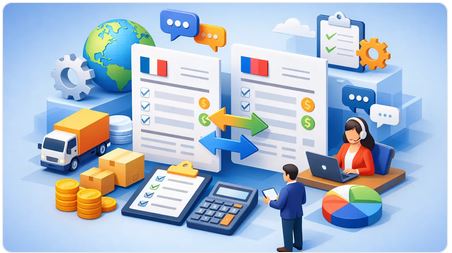
If your team is still rewriting Quotations, Sales Orders, Invoices in English and Spanish after the order is already approved, you do not have a language problem. You have a workflow problem. If you are an Exporter Bilingual invoice software it's a must, only earns its place when it removes duplicate entry, keeps customer-facing documents consistent, and stays connected to the rest of the business instead of acting like a translation layer bolted onto accounting, many duties in Latin America required exporters along with the cargo an Invoice in Spanish, that is why FICCweb has it.
That matters even more for distributors, importers, wholesalers, retailers, and service-resale businesses that live in constant motion. Quotes turn into orders. Orders affect inventory. Inventory affects purchasing. Purchasing affects landed cost and margins. Then the invoice goes out. If your bilingual documents sit in one system while pricing, stock, and balances live somewhere else, your staff becomes the integration.
What bilingual Quotations, Sales Orders or Invoice printout should actually solve
A bilingual print out software should allow you to print Quotations, Sales Orders, Invoices, Purchase Orders or Request of Quotations in English or Spanish. If a quote was accepted in one language, the sales order, packing slip, and invoice could be printed on either language.
This is where many accounting-first systems come up short. They are built to record the financial result after the fact. Operators need the software to manage what is happening before the invoice exists and while the transaction is still moving.
Why accounting software is often the wrong starting point
Business owners do not wake up wanting a prettier accounts receivable screen. They want fewer mistakes, faster order handling, and confidence that the numbers on the invoice reflect what was sold, shipped, priced, and promised.
Traditional accounting software usually treats invoices as an endpoint. That makes bilingual output a cosmetic feature. But in a real operating business an exporter needs many time an Invoice in Spanish because many Latin-American countries wants the document in their language.
If your system cannot connect those moving parts, staff starts managing exceptions manually. One person updates a spreadsheet. Another edits a PDF. Someone else changes the customer language preference in a note field no one remembers to check. The invoice may go out in the right language, but the process behind it is slow, fragile, and expensive.
Bilingual documents print-out software should reduce operational friction, not add another place to maintain data.
The operational standard for bilingual documents software
For product-based businesses, the right system does more than produce bilingual documents. It also allow you to print any document in English or Spanish at any moment, like quotes, sales orders, purchase orders, and receiving so the business is working from one source of truth.
That has practical consequences. A sales rep can prepare a quote in the customer's preferred language. Once approved, the order can move through fulfillment without recreating the transaction. When the invoice is issued, you can choose the language, and terms are already aligned. Management gets cleaner reporting because the system is not stitching together disconnected steps from separate tools.
This is also where browser-based business platforms have an edge over isolated desktop accounting packages. When sales, operations, and administration work in the same environment, language handling becomes part of the process rather than a formatting task at the end.
What to look for in bilingual document print-out software
The obvious requirement is bilingual document output, the better question is whether the system supports bilingual documents print-outs at any time.
Where companies misjudge the decision
One common mistake is buying for the invoice alone. That usually leads to a narrow tool that solves one visible problem while leaving the larger workflow untouched. The team still re-keys orders, checks stock elsewhere, and reconciles mismatched totals later.
Another mistake is assuming CRM software can handle invoicing well enough. CRM platforms are useful for pipeline activity, but most are weak once inventory, purchasing, fulfillment, and real financial impact enter the picture. If your business buys and resells goods, invoices are not just customer communications. They are the financial expression of operational activity.
The third mistake is overvaluing low upfront cost. A cheap tool that forces duplicate entry across sales, purchasing, invoicing, and reporting is not cheap. It simply hides the cost in labor, delays, and preventable mistakes.
Bilingual documents are really about control
For leaders running multilingual customer relationships, bilingual invoice software is often framed as a customer service feature. That is true, but it is only part of the story. The bigger value is control.
Control means your staff is not hunting across inboxes and spreadsheets to confirm which version of a document was sent. It means customer balances, open invoices, pending orders, and expected receipts can be seen in the same system. It means managers can trust that the invoice reflects the actual transaction, not someone's manual reconstruction of it.
This is especially important in companies with thin margins or high transaction volume. A small billing error repeated across dozens of orders can erase profit quickly. Language complexity makes those mistakes harder to spot if the process itself is not disciplined.
When a simpler tool may be enough
Not every company needs a full operating platform. If you send a low volume of invoices, carry no inventory, and rarely convert quotes into orders, a basic bilingual invoicing feature may be sufficient. There is no prize for buying more software than the business can use.
But once you have recurring document flow, multiple users, stock movement, purchasing dependencies, or customer-specific pricing, the trade-off changes. At that point, the invoice is no longer a standalone document. It is one step in an operating chain, and the software should reflect that reality.
That is where platforms built for business operators stand apart. FICCweb, for example, approaches bilingual documents as part of a broader workflow that includes quotations, orders, invoices, purchase orders, inventory, reporting, and accountant-ready financial information. That model fits how trading and distribution businesses actually work.
Choosing bilingual printout documents software without creating a new bottleneck
The best decision is usually the one that removes the most rework across the entire order-to-cash process. Ask whether the software can support your current document flow and the one you expect in two years. Ask whether it gives managers live visibility or just generates finished paperwork. Ask whether customer language preference is embedded in the process or dependent on staff memory.
Most of all, ask who the system is really built for. If the answer is the accountant, you will probably keep solving operational issues outside the software. If the answer is the business owner, operations manager, and admin team responsible for getting work done, bilingual invoice software becomes something far more useful than a translated form.
It becomes part of the control system that keeps the business moving with less friction, better visibility, and fewer excuses.
Inventory Control Software Review for Operators
If your team still checks stock in one system, pricing in another, and margins in a spreadsheet someone forgot to update, an inventory control software review is not a software exercise. It is an operational reality check. For product-based businesses, inventory is where cash, timing, purchasing, sales, and customer promises collide. If the system cannot keep up with that, the business pays for it in delays, write-offs, duplicated work, and weak decisions.
That is why a serious review should start with one question: does the software help you run the business as it actually operates, or does it force your team to work around it? Too many platforms look acceptable in a demo because they can track stock counts. That is not the real test. The real test is whether the system can connect quotes, orders, purchasing, receiving, costing, invoicing, and reporting without breaking the workflow.
What an inventory control software review should actually measure
Most reviews focus too narrowly on stock quantity. Business owners and operations managers need more than that. You need to know what is available, what is committed, what is on order, what it really costs, and how that affects profit right now.
A useful system should give you visibility across the full movement of goods. That means sales activity should affect demand planning. Purchase orders should affect incoming availability. Receiving should update stock without forcing duplicate entry. Invoices should reflect what was actually sold and shipped. If your software treats these as separate islands, the problem is not inventory alone. The problem is fragmented operations.
This is where many accounting-first systems fall short. They are built to record what happened for bookkeeping purposes. Operators need a platform that helps them control what is happening now and what needs to happen next. That difference matters every day, especially in wholesale, resale, import/export, and purchasing-driven businesses.
Inventory control software review criteria that matter in the real world
The strongest systems do not win because they have the longest feature list. They win because they reduce friction across daily work. When reviewing options, start with workflow continuity.
Workflow from quote to cash to replenishment
If your team creates a quote, converts it into a sales order, ships, invoices, and then manually updates another tool for inventory and purchasing, the software is costing you productivity. Review how each platform handles the chain from quotation through invoicing, and how inventory movements connect to it.
A good system should not make your staff retype customer, product, cost, or quantity data at every step. Repetitive entry slows the team down and creates avoidable mistakes. For growing businesses, that is more than an annoyance. It is a scaling problem.
Real costing, not just stock counts
Quantity without cost is incomplete. Businesses that import, distribute, or resell products need to understand landed cost, supplier pricing changes, margin pressure, and valuation accuracy. If the software cannot track the true cost of inventory with enough detail to support decisions, it leaves management guessing.
Some systems are fine for simple environments with stable costs and limited purchasing complexity. But if your operation deals with freight, multiple suppliers, partial receipts, or pricing shifts, it pays to review costing capabilities closely. The trade-off is that more accurate costing usually requires better process discipline. That is worth it if margin control matters to you.
Purchasing visibility
Inventory problems often start upstream in purchasing. Review whether the software helps you see what needs to be ordered, what is already on order, what has arrived, and what is overdue. If buyers have to maintain separate reminders or side spreadsheets, the software is not giving you real control.
This is especially important for companies with long lead times or imported goods. A delayed purchase order is not just a vendor issue. It affects sales commitments, customer service, and cash planning.
Reporting that helps managers act
Many systems offer reports. Fewer offer useful operational visibility. In your review, look for dashboards and reports that answer practical questions quickly: What is selling? What is not moving? What is backordered? What margins are changing? Which customers owe money? Which suppliers are affecting fulfillment?
A manager should not need an analyst to understand what is happening in the business. If reporting is buried, static, or too accounting-centric, the system may satisfy record keeping while failing the people running operations.
Where many software reviews go wrong
A lot of inventory control software reviews compare screens instead of business outcomes. That approach misses the point. A polished interface matters, but it should not outweigh operational fit.
For example, a lightweight app may look simpler and cost less upfront. That can be the right choice for a very small business with straightforward buying and selling. But if your company has multiple document types, approval steps, partial shipments, supplier coordination, or margin-sensitive inventory, a simple tool can become expensive fast because your team ends up doing the missing work manually.
The opposite can also happen. Some systems are packed with enterprise functions that smaller companies will never use. Those platforms can create complexity without delivering enough practical value. A strong review does not reward software for being bigger. It rewards software for fitting the business model.
The best fit depends on how your company makes money
This is the part many buyers skip. Inventory control should match the commercial engine of the business.
If you are a re-seller or wholesaler, your priorities may be stock accuracy, price control, back-order visibility, and customer-specific margins. If you import goods, landed cost and purchase tracking become central. If you operate across sales, purchasing, and service activity, you may need a system that handles both goods and related workflows in one place.
That is why stand-alone inventory tools often disappoint after the initial rollout. They may handle counts well enough but fail to connect to the rest of the operation. Then your team fills the gaps with email, spreadsheets, and disconnected systems. The business ends up with software everywhere and control nowhere.
A practical way to compare options
A useful inventory control software review should be based on your own transactions, not generic demos. Ask each vendor to walk through common scenarios from your business. Start with a quote or order. Follow it through inventory allocation, purchasing, receiving, costing, invoicing, and reporting. Include exceptions like partial fulfillment, supplier delays, or price changes.
This quickly reveals whether a platform supports the real work or just the clean version of it. It also shows where your team will need workarounds. Pay attention to how many times the same data has to be entered, corrected, or exported.
You should also evaluate adoption risk. The best system on paper can fail if it is too hard to use or too dependent on specialized IT support. Small and midsize companies need software that works in a browser, is accessible across devices, and can be managed without building a technical department around it.
Why integrated operations matter more than isolated inventory features
Inventory does not operate alone. It touches sales, purchasing, finance, fulfillment, and management reporting. When those functions live in separate tools, every handoff becomes a risk point. Data gets delayed, duplicated, or distorted.
That is why many operators eventually move away from accountant-led systems and disconnected apps. They need a single operating environment where documents, inventory movements, balances, costs, and workflow status all live together. In that model, inventory control becomes part of business control.
For companies that have outgrown spreadsheets and patchwork software, this is where an integrated platform such as FICCweb can make the difference. The advantage is not only that inventory is tracked. It is that quotations, orders, invoices, purchase orders, inventory movements, reporting, and financial visibility work together in one web-based system built for operators.
The right software should reduce dependence, not create it
One final test matters more than any feature checklist. After implementation, will your business depend less on spreadsheets, memory, and a few key employees to stay organized? Or will the software simply become another place to look things up?
Strong inventory control software gives owners and managers more command over timing, stock, costs, and workflow. It helps the team act faster because the information is current and connected. It supports growth because the process does not fall apart when transaction volume rises.
If your review ends with a tool that only tracks inventory, keep looking. The better choice is the one that gives you control over the operation that inventory is driving every day.
Small Business Operations Software Guide

A small business operations software guide for owners who need control over inventory, purchasing, sales, documents, and profit in one system
If your team is still running quotes in one tool, inventory in spreadsheets, purchasing by email, and financial decisions from reports that arrive too late, you do not have a software problem. You have an operations control problem. This small business operations software guide is for owners and managers who are tired of piecing together daily work across disconnected systems and want a better way to run a company that buys, sells, moves, and tracks real goods and services.
What this small business operations software guide is really about
Most software buying advice for smaller companies starts in the wrong place. It starts with accounting. That is fine if your only goal is compliance, bookkeeping, and year-end reporting. It is not enough if you are trying to control quotations, sales orders, purchase orders, stock movements, landed costs, invoice status, customer balances, and margin performance while business is happening.
For product-based companies, operations software should help you run the business first and support accounting second. That does not mean accounting is unimportant. It means accounting should be fed by accurate operational activity, not treated as the center of the business while everyone else works around it.
If you import, export, distribute, resell, purchase on behalf of clients, or manage retail and wholesale activity, your software choice affects speed, accuracy, and profit every day. The right system reduces duplicate entry, connects documents across the workflow, and gives management live visibility into what is sold, what is ordered, what is owed, and what needs attention now.
Why small businesses outgrow accounting software and standalone apps
A lot of small companies begin with whatever is easiest to buy. Usually that means accounting software, a separate CRM, spreadsheets for inventory, shared folders for documents, and manual processes to bridge the gaps. At first, it feels manageable. Then order volume grows, products multiply, costs become harder to track, and the team starts spending more time reconciling information than acting on it.
That is the breaking point. A quote gets approved, but someone has to reenter it as an order. A purchase order is created separately, with no clear link back to expected margin and the customer related. Inventory numbers drift because stock adjustments happen outside the main system. Landed costs are guessed or patched in later. Management asks for a real-time picture and gets a report that is already outdated.
This is where many business owners realize they do not need more apps. They need one operational system with continuity from document to document and from event to event.
What good operations software should actually do
A serious platform for a growing small business should reflect how the company operates in real life. That means sales activity, purchasing activity, inventory control, document generation, and financial visibility should work together instead of being passed around between disconnected tools.
At a minimum, the software should let your team create quotations, convert them into orders, issue invoices, and track what is still open. It should support purchasing just as clearly, including supplier orders, receipts, vendor balances, and cost tracking. If your business handles stock, the system should record inventory movements reliably and show what is on hand, committed, incoming, and sold.
It should also help management make decisions. That means dashboards, reporting, customer balances, payable balances, profit views, and operational alerts that tell you more than what happened last month. You need to know what is happening now and what pressure is building next.
Automation matters too, but only when it removes friction from real work. Useful automation converts documents, reduces repetitive data entry, standardizes recurring actions, and keeps information consistent. Fancy features are not helpful if your team still has to work around the system.
The features that matter most for product-based businesses
Not every small business needs the same software depth. A service company with simple billing has different needs than a distributor managing purchasing, stock, and margin by item. But for companies dealing with products, physical movement, and commercial paperwork, several capabilities are hard to compromise on.
Inventory control should be tied directly to sales and purchasing activity. If stock records live outside the operational flow, errors are inevitable. You also want visibility into cost, not just quantity. Companies that import or buy from multiple suppliers often struggle because base item cost is only part of the picture. Freight, duties, handling, and other acquisition costs affect real margin, and your software should reflect that.
Document continuity is another major point. A lot of businesses lose time because every stage is built again from scratch. Quote to order, order to invoice, order to purchase order, and receipt to payable entry should not require manual recreation. When documents connect properly, your team moves faster and management gets cleaner data.
Browser-based access is also more important than many owners assume. If your people work from multiple locations, warehouses, branches, or while traveling, they need access without local installs and server maintenance becoming another operational headache.
How to evaluate software without getting distracted by demos
Software demos are designed to look smooth. Your job is to test whether the system can support your actual business flow, not just display polished screens.
Start with your core workflow. How does a lead become a quote, then an order, then an invoice? How does a sale trigger purchasing or inventory allocation? How are partial shipments, back orders, returns, or supplier delays handled? Are you able to partially receive a Purchase Order? If the vendor cannot walk through those scenarios clearly, the software may not be built for your kind of operation.
Next, look at visibility. Ask what a business owner or operations manager can see in real time without waiting for someone else to compile reports. Can you view outstanding balances, open orders, stock movement, profitability, and performance by customer, item, or supplier? If visibility is weak, you will still be managing through workarounds.
Then check scalability. Many small businesses do not need enterprise complexity, but they do need room to grow. The right software should support more users, more product lines, more transaction volume, and more process discipline without forcing a replacement after the next growth phase.
Finally, pay attention to how much duplication the system eliminates. If your staff still has to enter the same information in multiple places, the software is preserving inefficiency, not fixing it.
Common trade-offs and where owners get stuck
There is no perfect system for every company. Some platforms are simple but too limited. Others are broad but expensive or overly technical. The right choice depends on the complexity of your operation and the cost of continuing with fragmented tools.
Some owners hesitate because their current setup feels familiar. Familiar is not the same as efficient. If your staff depends on memory, side notes, and spreadsheet patches to keep work moving, the business is carrying hidden risk every day.
Others focus too heavily on accounting integration and not enough on operational control. That is understandable, but backwards. If the flow of sales, purchasing, stock, and documents is weak, your accounting will always be late, incomplete, or labor-intensive. Better operations create better financial information.
There is also the implementation question. A more capable system requires process clarity. That can feel demanding at first, especially for companies used to informal workarounds. But discipline in the system usually exposes waste that was already costing the business money.
What the right platform changes day to day
When operations software is chosen well, the impact is practical and immediate. Quotes move faster because data is already in the system. Orders are easier to track because status is visible. Purchasing becomes more controlled because supplier activity is connected to demand. Inventory becomes more credible because movements are captured as part of real work, not updated later from memory.
Management gains something even more valuable: control without chasing people for answers. You can see which invoices are outstanding, what inventory is committed, where costs are rising, and which transactions need attention. Decisions improve because they are based on current operational truth instead of delayed accounting snapshots.
This is the gap many business owners have been trying to close with a patchwork of apps. An integrated operational platform closes it directly. That is the reason systems like FICCweb appeal to importers, distributors, resellers, and other product-based companies that need one place to manage daily commercial activity beyond the narrow limits of accounting software.
A better standard for software selection
A useful small business operations software guide should leave you with one clear standard: choose software based on how your company actually works, not how a generic software category is marketed.
If your business lives on quotations, orders, purchasing, inventory, invoices, cost control, and margin visibility, you need software built around those realities. Not a bookkeeping tool stretched too far. Not a CRM pretending to run operations. Not another spreadsheet layer to manage the damage.
The best system is the one that gives you control, removes duplicate effort, and shows you what is happening across the business while there is still time to act. That is when software stops being an administrative burden and starts pulling its weight.
How to Unify Sales Operations That Scale

Learn how to unify sales operations across Quotes, Sales Orders, Inventory, Purchasing and Invoicing to cut delays and gain real-time control
When a sales team has to chase numbers in one system, inventory in another, and order status in a spreadsheet someone forgot to update, growth starts creating friction instead of momentum. That is the real problem behind how to unify sales operations. It is not just about cleaning up tools. It is about getting control of the entire commercial flow so your business can quote faster, sell smarter, fulfill accurately, and see margins clearly.
For product-based companies, sales operations do not live inside the CRM alone. They run through quotations, customer pricing, inventory availability, purchasing decisions, landed costs, document generation, invoicing, collections, and reporting. If those processes are split across disconnected software, your team ends up doing detective work instead of running the business.
Why sales operations get fragmented
Most small and midsize companies do not set out to build a messy process. It happens gradually. A CRM gets added for pipeline tracking. Accounting software handles invoices. Inventory lives in a separate app. Purchasing is managed by email and spreadsheets. Reporting gets patched together manually because no single system shows the full picture.
At first, this seems manageable. Then volume increases. More quotes go out. More orders come in. Customers want quicker answers. Buyers need better visibility. Finance wants clean numbers. Operations needs to know what is committed, what is back-ordered, and what still has to be purchased.
That is when the cost of fragmentation shows up. Sales reps promise items that are not available. Operations re-keys the same data multiple times. Purchase Orders are created without a clear link to the customer document. Invoices go out late. Management gets reports after the fact instead of during the decision window.
The issue is not that each tool does one job poorly. The issue is that the business runs across all of them, and nobody has a reliable live view of what is happening now.
How to unify sales operations in practical terms
If you want to know how to unify sales operations, start by dropping the idea that this is only a sales department project. It is an operating model decision. The goal is to create one connected flow from first quote to final payment, with inventory, purchasing, fulfillment, and financial impact visible along the way.
A unified sales operation gives your team a shared system of record. The same transaction should move forward instead of being recreated in different places. A quote should become an order. An order should drive fulfillment or purchasing. Delivery should support invoicing. Invoicing should update balances and performance reporting. That flow sounds obvious, but many businesses still run it through disconnected hand-offs.
The fastest way to improve is to map where information gets duplicated, delayed, or distorted. Look at how a sale actually moves through your business, not how each department describes it. Where does a quote get copied into an order? Where does someone check stock manually? Where do landed costs get added late, if at all? Where does accounting find out about transactions only after operations has already moved on?
Those breakpoints tell you where unification matters most.
Build around the transaction, not the department
This is where many software decisions go wrong. Businesses buy tools based on departmental preferences, then wonder why the company still lacks control. A CRM may satisfy sales. Accounting software may satisfy the bookkeeper. But the owner or operations manager still cannot see the full commercial chain in one place.
A stronger approach is to organize systems around the transaction lifecycle. In a product-based company, that means the core record should carry forward customer details, items, pricing, quantities, delivery status, inventory effect, purchase requirements, invoice value, and margin implications.
When the transaction is central, departments stop working from conflicting versions of reality. Sales sees what can be sold. Purchasing sees what must be sourced. Operations sees what must be shipped. Management sees the value of open orders, receivables, and profitability without waiting for manual reconciliation.
That does not mean every team needs the same screens or reports. It means they need the same underlying truth.
The systems that usually need to come together
For most distributors, importers, resellers, and similar businesses, unified sales operations require more than syncing contacts and invoices. The operational backbone usually includes sales documents, inventory control, purchasing, customer balances, vendor balances, cost visibility, and management reporting.
Quotations matter because that is where commercial intent begins. If quotes live outside the main system, pricing discipline weakens early. Orders matter because they create execution commitments. Inventory matters because selling without stock awareness creates avoidable delays. Purchasing matters because many sales depend on replenishment or direct sourcing. Invoicing matters because cash flow suffers when completed work is not billed promptly. Reporting matters because leaders need to know what is profitable, what is late, and where money is tied up.
If one of those pieces remains outside the process, the business may still function, but it will keep doing tasks on time, mistakes, and weak visibility.
How to unify sales operations without creating disruption
Unification does not require ripping out every tool in one move. It does require a clear priority sequence.
Start with the process that creates the most daily friction. In many companies, that is the quote-to-order-to-invoice path. If your team is reentering sales data three times, fix that first. The immediate benefit is less duplicate work and fewer document errors. The larger benefit is that you create a reliable transaction trail.
Next, bring inventory status and purchasing into the same operational view. This is especially important for companies that import, buy to stock, or buy against demand. Sales cannot operate with confidence if stock, incoming goods, and replenishment commitments are hidden in separate tools. A rep does not need warehouse-level complexity, but they do need to know whether an order can move, whether it needs purchasing, and whether margin still makes sense after real costs.
Then tighten reporting around open quotes, active orders, shipped items, invoices, receivables, and profit views. If leadership cannot see those numbers live, they will keep managing by memory and exception.
The trade-off is straightforward. A wider rollout can create faster standardization, but it also demands more internal discipline. A phased rollout is easier to absorb, but only if each phase still supports the final operating model. Piecemeal fixes without a unifying architecture usually create a cleaner version of the same problem.
Process discipline matters as much as software
Software alone will not unify anything if the company keeps allowing side channels. If sales teams can quote in one tool, negotiate in email, confirm pricing in a spreadsheet, and tell operations to "just process it," the platform never becomes the control center.
That is why standard rules matter. Decide where quotes are created. Decide when an order is considered approved. Decide who can override pricing or delivery expectations. Decide how purchasing gets triggered. Decide how document changes are recorded. The point is not bureaucracy. The point is protecting flow and visibility.
A unified operation gives freedom where it helps and structure where it prevents damage.
What good looks like after unification
Once sales operations are unified, the business feels different. Teams stop asking where the latest version is. Fewer orders stall because key information is missing. Customer communication improves because status is easier to verify. Managers spend less time gathering numbers and more time acting on them.
More importantly, the business gets sharper commercially. You can see which quotes convert, which customers are slow payers, which items create margin pressure, and which orders are waiting on purchasing or fulfillment. Those are not abstract software wins. They directly affect growth, cash flow, and control.
For companies that buy and resell goods or services, this is where a platform built for operations has an edge over tools designed mainly for accountants or standalone sales teams. A system like FICCweb is valuable because it treats sales as part of the real business flow, connected to inventory, purchasing, documents, balances, and management visibility in one browser-based environment.
If your current setup still depends on spreadsheets or on accounting programs to bridge the gaps, that is your answer. The problem is not user effort. The problem is that the operation was never unified in the first place.
The businesses that scale cleanly are not the ones with the most software. They are the ones where every sale moves through a controlled, visible path from quote to cash, with no guesswork in the middle.
Import Workflow Management Guide for Growth
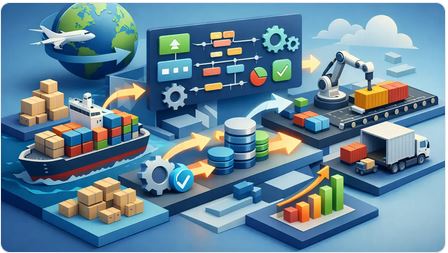
A container can be on the water, a supplier can confirm production, and your sales team can already be promising delivery - yet your margin is still unclear and your paperwork is spread across email, spreadsheets, and accounting entries that show up too late to help. That is exactly why an import workflow management guide matters. If your business buys goods internationally and resells them domestically, workflow is not an admin detail. It is the operating system behind cash flow, inventory accuracy, customer commitments, and profit.
For small and midsize importers, the real problem is rarely a lack of effort. It is fragmentation. One person tracks purchase orders in a spreadsheet. Another manages shipping documents in email. Receiving is logged somewhere else. Landed costs get adjusted later. The accounting system holds the final numbers, but it does not run the business while the goods are moving. That gap creates delays, duplicate entry, avoidable errors, and weak decision-making.
What an import workflow management guide should actually solve
A useful import workflow management guide should not start with software features. It should start with control. You need a way to see what has been quoted, what has been ordered, what is in transit, what has arrived, what it truly cost, and what can be invoiced now. If your team cannot follow that chain without asking three people and opening five files, the workflow is too loose.
Import operations are more demanding than standard back-office processes because every stage affects the next. Supplier delays affect customer commitments. Freight and duty affect margins. Receiving discrepancies affect available stock. Missing documents slow customs clearance, warehouse processing, and invoicing. If each step lives in a separate tool, your business becomes dependent on memory and manual follow-up.
That is why workflow management for importers is not just about task tracking. It is about connecting commercial documents and inventory events so that one action drives the next one forward.
The core stages of an import workflow
Most product-based businesses follow a similar pattern, even if the details vary by industry. The workflow usually starts with demand, whether that comes from a forecast, a customer order, or a replenishment need. From there, purchasing creates a supplier commitment. Shipping and document collection follow. Then goods are received, costs are assigned, inventory is updated, sales are fulfilled, and invoicing closes the revenue side.
The weak point is usually not the existence of these stages. It is the handoff between them. A quote does not automatically become an order. A purchase order does not update expected arrivals in a way the sales team trusts. Freight, duty, brokerage, and inland transport sit outside the original product cost until someone reconciles them later. By then, management is looking at margins that are incomplete or flat-out wrong.
A strong workflow creates continuity from quote to order to purchase order to receipt to invoice. It also gives managers a live view of what is pending, what is late, what is partially received, and what is profitable.
Start with document continuity
If your team is retyping the same customer, item, quantity, and pricing information across multiple forms, you do not have a workflow. You have clerical repetition dressed up as process. Every document should inherit from the prior step wherever possible. Quotes should convert to sales orders. Sales demand should inform purchasing. Purchase orders should feed expected receipts. Receipts should update inventory and cost position. Invoices should pull from completed sales activity, not from fresh manual entry.
That continuity does more than save time. It cuts down on preventable mistakes and gives your team confidence that everyone is working from the same operating record.
Treat landed cost as part of the workflow, not an afterthought
Many import businesses still calculate product cost in two steps: supplier price first, real cost later. That delay distorts margin decisions. If your team is selling based on incomplete cost assumptions, you can look busy while quietly losing money.
An effective workflow captures landed cost inputs as part of the import process. That includes freight, duty, customs fees, insurance, and inland charges where relevant. The exact timing may vary. Sometimes you estimate first and adjust later. Sometimes you allocate final costs after receipt. Either way, the process should be structured and visible, not buried in a month-end exercise.
This is one of the biggest differences between software built for operators and software built mainly for accountants. Operators need cost visibility while decisions are still being made.
Common breakdowns that stall import operations
Most workflow issues show up in predictable places. The first is status ambiguity. Teams do not know whether an order has been approved, sent, shipped, cleared, received, or billed. The second is duplicate entry, which creates both wasted time and inconsistent records. The third is cost fragmentation, where purchasing, logistics, and finance each hold part of the margin picture.
Another common issue is inventory timing. Goods may be physically present but not properly received into the system, so sales cannot rely on stock figures. Or inventory is marked available too early, before discrepancies, damage, or missing units are resolved. Neither situation supports confident order fulfillment.
Then there is reporting lag. Management often gets answers after the fact because the system of record is designed for bookkeeping, not live operations. That is a serious limitation for importers. When stock is tied up in transit and cash is committed ahead of revenue, waiting for month-end clarity is expensive.
How to build a better import workflow management process
The practical move is not to automate everything at once. It is to tighten the chain where mistakes and delays hurt most.
Map the real workflow, not the ideal one
Start by tracing one import transaction from first demand to final invoice. Follow the actual people, documents, files, approvals, and status updates involved. You will usually find hidden detours - manual spreadsheet updates, side emails, copied data, and undocumented approval points. Those are the places where control leaks out.
Be honest about exceptions too. Partial shipments, backorders, damaged receipts, supplier substitutions, and cost adjustments are normal in import operations. A workflow that only works for perfect transactions will fail in real life.
Define ownership at each stage
Every stage needs a clear owner, even when multiple teams are involved. Who approves the purchase order? Who confirms shipping documents are complete? Who records the receipt? Who assigns landed costs? Who releases the invoice? If ownership is vague, follow-up becomes political instead of operational.
That does not mean creating rigid silos. It means making accountability visible so issues can be resolved quickly.
Use one operational system, not disconnected tools
This is where many businesses hit a ceiling. They try to force workflow through a patchwork of accounting software, spreadsheets, email, and a CRM that was never designed to manage goods in motion. It works until order volume grows, staff changes, or margins tighten.
A unified business management platform changes the game because it connects documents, inventory, purchasing, sales, reporting, and financial outcomes in one place. FICCweb is built around that operating reality. Instead of pushing your team back into disconnected files and accountant-first workflows, it gives owners and managers direct control over quotations, orders, purchase orders, invoices, inventory movements, landed costs, and live performance data.
Build around visibility, not just data entry
A better workflow does not simply record transactions. It tells you what needs attention now. That means dashboards, balances, order status, overdue items, inventory movement, and profit views that reflect the current state of the business.
For example, a purchasing manager should be able to see open supplier commitments and expected arrivals without chasing updates. A sales manager should know whether inventory is available, incoming, or constrained. An owner should be able to spot margin pressure, outstanding receivables, and stock exposure before they become bigger problems.
Import workflow management guide for scaling companies
As a business grows, the workflow needs to handle more than volume. It needs to handle complexity. More suppliers, more SKUs, more partial shipments, more pricing changes, and more people touching the process all increase the cost of weak systems.
This is where many companies outgrow accountant-centric software. Accounting tools matter, but they are not designed to run daily import operations. They record financial outcomes well enough. They do not give operators enough control over what is happening between the supplier commitment and the customer invoice.
A scaling company needs workflow discipline without becoming bureaucratic. That means standardized document flow, flexible handling of real-world exceptions, and reporting that helps managers act quickly. It also means choosing systems that can grow with the business instead of forcing another round of spreadsheets when complexity rises.
Know where standardization helps and where flexibility matters
Not every importer should run the same process in the same way. A distributor with steady container imports has different needs than a purchase agent managing custom orders or a retailer balancing seasonal buys. The right workflow depends on lead times, supplier reliability, warehouse capacity, product variability, and how often orders change after confirmation.
Still, some rules are universal. Keep document flow connected. Keep status visible. Keep cost tracking timely. Keep inventory movements tied to actual events. And keep management out of the dark.
If you get those basics right, your workflow stops being a source of friction and starts becoming a source of control. That is when import operations become easier to scale, easier to manage, and a lot harder to derail when business gets busy.
The businesses that win at importing are not always the ones with the cheapest suppliers. They are often the ones with the clearest operating picture and the fewest blind spots between purchase, receipt, cost, and sale.
How to Centralize Business Operations with FICCweb

A sales rep updates a quote. Purchasing places a supplier order
from a spreadsheet. Accounting sends an invoice from another
system. Warehouse staff check stock in a file that may or may
not be current. If that sounds familiar, the real question is
not whether you need better reporting. It is how to centralize
business operations so your company can run from one set of
facts instead of five conflicting versions.
For product-based businesses, fragmentation is expensive. It
creates delays, duplicate entry, missed replenishment, pricing
errors, weak margin visibility, and constant follow-up between
departments. You can still grow with disconnected tools for a
while, but you pay for that growth in labor, confusion, and slow
decisions. Centralization fixes that, but only when it is done
around actual operational flow, not just around accounting.
## What centralizing business operations really means
Centralization does not mean cramming every task into one
oversized system and forcing people into awkward workarounds. It
means building one operational command center where the core
activities of the business connect in a logical sequence.
For most small and midsize trading, distribution, resale,
import/export, and retail businesses, that sequence starts with
demand and ends with financial clarity. Quotes become orders.
Orders drive purchasing, receiving, inventory movement, Accounts
Payable, invoicing, Accounts Receivable and collections. Costs
flow through the business so managers can see profit, exposure,
balances, and outstanding tasks without waiting for month-end.
That distinction matters. Many companies think they have
centralization because they have accounting software plus a CRM
plus spreadsheets plus email approvals. That is not
centralization. That is software stacking. If your team still
retypes data between systems or asks three people to confirm
what is true, the business is still fragmented.
## Why most centralization projects stall
The biggest mistake is starting with software categories instead
of workflow realities. A business owner buys accounting software
for financial records, then adds a CRM for sales, a warehouse
tool for stock, and custom spreadsheets to bridge the gaps. Each
tool may be decent on its own. The problem is the hand-off
between them.
This is where momentum breaks down. A quote in one system does
not become a sales order in another without re-entry. A purchase
order may not reflect current committed sales. Inventory value
may differ from what accounting shows. Landed costs might sit
outside the system entirely. Teams compensate with manual
processes, and management loses visibility right when the
business gets busier.
Another reason projects fail is trying to centralize everything
at once. Not every function needs equal attention on day one. If
you attack every edge case immediately, the rollout becomes
political, slow, and expensive. Smart centralization starts with
the transaction chain that drives revenue, inventory,
purchasing, and cash flow.
## How to centralize business operations without creating chaos
The practical way to centralize is to start with the flow of
work, not the org chart. Map what actually happens when your
company buys, sells, receives, ships, invoices, and gets paid.
Ignore the idealized process for a moment. Focus on the real
one, including the shortcuts people use to keep things moving.
### Step 1: Identify the operational backbone
Your backbone is the set of transactions that most departments
touch. In a product-based company, that usually includes
quotations, sales orders, purchase orders, inventory receipts,
shipments, invoices, vendor bills, and customer payments. If
these events live in separate tools, your business is operating
in pieces.
Look for the moments where data gets copied, translated, or
manually confirmed. Those are the fractures. They are also the
best opportunities to centralize first.
### Step 2: Standardize the source of truth
Every centralization effort needs one primary system where
operational records are created, updated, and tracked. This
system should serve the business operators who run day-to-day
activity, not just the accountant who closes the books.
That means it must handle the operational details that
accounting platforms often treat as secondary - inventory
movements, purchasing status, document flow, pricing logic,
partial fulfillment, landed cost allocation, and real-time
balances. If the source of truth cannot support the way goods
and documents move through your company, teams will fall back to
spreadsheets within weeks.
### Step 3: Connect documents across the workflow
This is where centralization starts paying for itself. A Quote
should convert into a Sales Order without retyping. An order
should trigger fulfillment and purchasing logic where needed. A
purchase order should connect to receipts and supplier invoices.
An invoice should reflect what was actually shipped and what
remains open.
When documents are linked, you reduce errors and speed up
throughput. More importantly, you create continuity. Managers
can see what happened before, what is happening now, and what
still needs attention.
### Step 4: Bring inventory and cost visibility into the same
system
A lot of companies claim to centralize operations while
inventory still lives in a side process. That is a problem. If
stock, incoming purchases, and actual costs are disconnected
from sales and purchasing, your visibility is incomplete.
This is especially true for importers, wholesalers, and
resellers dealing with variable costs. Freight, duties, and
other landed costs change margin reality. If those costs are
tracked outside the core system, profitability reports become
guesswork. Centralization should put cost and movement
visibility where decisions are made, not where history is filed.
### Step 5: Automate repetitive transitions
Once the backbone is in one place, automation becomes useful
instead of cosmetic. You can automate document conversion,
status updates, alerts, approvals, and recurring follow-ups.
That cuts clerical work, but the bigger gain is consistency.
There is a trade-off here. Over-automating a broken process only
makes bad habits faster. Automate the repeatable parts after the
workflow is clear. If exceptions are common, build visibility
around them instead of pretending they do not exist.
## What to centralize first and what can wait
If your systems are badly fragmented, start with the areas that
affect cash flow and customer response speed. For most
companies, that means sales documents, purchasing, inventory
status, and invoicing. These functions touch revenue directly
and create the most duplicate entry when they are split across
tools.
Customer service history, advanced analytics, and niche
departmental preferences can come later. They matter, but they
are rarely the first source of operational drag. The goal is to
establish control over daily execution before you optimize every
reporting layer.
This is also where leadership discipline matters. Some teams
will push to preserve familiar spreadsheets because they feel
flexible. In practice, they usually preserve private versions of
the truth. Flexibility is useful, but not when it weakens
control.
## The system you choose matters more than the migration speech
A centralization plan lives or dies based on whether the
platform fits the business model. Product-based businesses need
more than ledgers and contact records. They need a system that
understands buying, stocking, selling, converting documents,
tracking margins, and surfacing what is open right now.
That is why many companies outgrow accountant-centered software
and bolt-on CRMs. Those tools may cover pieces of the operation,
but they do not run the operation. An integrated platform built
around quotations, orders, invoices, purchase orders, [inventory
control](https://ficc.us/index-2.html), reporting, and real-time
operational visibility is a far better fit for managers who need
answers during the day, not just after reconciliation.
FICCweb is built for exactly that kind of business - companies
that buy and resell goods or services and need one
[browser-based system](https://ficc.us/index.html) to manage the
flow from transaction to insight.
## How to know centralization is working
You will see it in behavior before you see it in dashboards.
Teams stop asking which file is current. Sales can answer
order-status questions without chasing operations. Purchasing
can see demand sooner. Managers can review balances, margins,
stock position, and open documents without assembling reports by
hand.
You should also see fewer silent failures. Less duplicate entry.
Fewer missed follow-ups. Fewer invoice mismatches. Shorter
turnaround from quote to order to fulfillment. Better confidence
in inventory and profit numbers.
Not every metric improves overnight. There is always an
adjustment period. Some employees will need time to trust a
shared system after years of local workarounds. But if the
platform is aligned with how the business really runs, adoption
gets easier because people spend less time translating
information and more time acting on it.
## The leadership shift behind centralized operations
At its core, centralization is a management decision. It says
the company will no longer run on departmental islands, personal
spreadsheets, or software chosen only for bookkeeping. It says
operations deserve the same level of structure and visibility as
finance.
That shift changes how leaders manage growth. Instead of hiring
more people to keep fragmented processes alive, you create a
system where the business can absorb more volume with better
control. That is the real payoff. Not just cleaner data, but
stronger execution.
If your team is still stitching together quotes, orders, stock
updates, invoices, and reports from separate tools, the problem
is no longer a lack of effort. It is a lack of operational
center. Build that center well, and your business gets faster,
clearer, and much harder to knock off course.
How to Track Order Profitability Clearly

The problem usually shows up after the sale. Revenue looks fine, the customer paid, and the accounting system says the invoice is closed. But when you ask a simple operator's question - did we actually make money on this order? - the answer is fuzzy, delayed, or buried in spreadsheets.
That is why business owners keep asking how to track order profitability in a way that reflects what actually happened from quote to delivery. If you buy, stock, move, bundle, import, resell, or fulfill products, profitability does not live in one invoice total. It sits inside product cost, freight, duty, rush purchasing, discounts, inventory timing, and the extra touches that accounting reports often flatten into broad averages.
Why order profitability gets distorted
Most small and midsize product businesses do not have a margin problem first. They have a visibility problem. The sale is recorded in one system, the purchasing activity is tracked somewhere else, shipping costs land later, and adjustments happen by email or spreadsheet. By the time someone tries to calculate profit by order, they are reconstructing history instead of managing performance.
This gets worse when you rely on accountant-centered software as the main source of truth. Those systems are built to close periods, categorize transactions, and support financial reporting. They are not built to show operations leaders what happened on a specific order while it is still moving. If your team cannot connect quotation, sales order, purchase order, inventory movement, invoice, and landed cost in one chain, your margin view will always be late and incomplete.
There is also a timing issue. Some costs are obvious at the moment of sale, while others arrive after the order is shipped. Freight invoices, customs charges, warehouse fees, repacking, and replacements can hit later. If your process treats those as unrelated overhead, individual orders appear healthier than they really are.
How to track order profitability without guessing
At a practical level, order profitability means comparing all revenue tied to an order against all direct and attributable costs tied to fulfilling it. That sounds simple, but it only works if your process captures the full trail.
Revenue should include the actual sales amount after discounts, credits, and price overrides. Costs should include product cost, purchasing cost, landed cost allocations, shipping charges you absorb, commissions if relevant, and any operational exceptions such as expedited procurement or rework. For some businesses, payment processing fees matter at the order level too. For others, those belong in broader margin analysis. It depends on how tightly you want to manage each order.
What does not work is using one average gross margin percentage across everything and assuming the order performed accordingly. That may be good enough for a board-level snapshot. It is not good enough for deciding which customers, products, channels, or sales reps are driving profitable growth.
Start with the full order lifecycle
If you want reliable margin by order, track the order from the first commercial commitment to the final cost impact. In most product-based companies, that means following the chain from quote to sales order, then into purchasing, receiving, inventory allocation, shipment, invoicing, and post-sale adjustments.
This matters because profitability changes as the order evolves. A quote may look strong at 32 percent margin. Then the supplier increases cost, the customer wants partial shipment, the team adds special packaging, and freight comes in higher than planned. If your system cannot absorb those changes into the same order record, the margin you are reviewing is not operational truth. It is a stale estimate.
A strong process also separates estimated margin from actual margin. Both matter. Estimated margin helps you approve pricing and quote intelligently. Actual margin tells you whether the business executed well. The gap between the two is where many management problems hide.
The minimum data you need on every order
Every order should carry enough detail to answer three questions quickly: what did we sell, what did it cost us to fulfill, and what changed along the way?
That means line-item selling price, quantity, discounts, and taxes separated cleanly from revenue. It means current or actual item cost, not just a guessed standard cost. It also means any linked purchasing activity, inventory withdrawals, landed costs, freight allocations, and customer-specific handling charges. If your team frequently splits shipments or back-orders items, those events need to stay tied to the order as well.
Without that structure, people start filling gaps manually. Manual margin analysis always looks manageable at first. Then order volume increases and the business falls back into averages and assumptions.
Landed cost is where many profits disappear
For importers, distributors, and resellers, landed cost is often the difference between a healthy order and a weak one. Purchase price alone is not your true cost. You also need to account for freight in, duties, brokerage, insurance, and handling tied to getting goods ready for sale.
If those costs are spread too broadly, high-cost orders can look artificially profitable while simple orders subsidize the difference. If they are not applied at all, pricing decisions start drifting away from reality. That is how companies stay busy and still wonder why cash feels tight.
The right allocation method depends on the business. Some companies allocate landed cost by unit, others by weight, volume, carton count, or value. There is no universal rule. What matters is choosing a method that reflects how costs actually arise and then applying it consistently.
How to track order profitability in real time
Real-time profitability is not about obsessing over every penny while an order is open. It is about giving decision-makers live visibility before mistakes become habits.
For example, if a large order requires a special buy at a higher supplier price, your team should see the margin impact before confirming the sale. If a partial shipment creates extra freight, the order should reflect that change while it is still active. If inventory was received at a different cost than expected, margin should update without waiting for someone to reconcile a spreadsheet at month-end.
This is where integrated business management software changes the game. When quotations, orders, purchases, inventory, invoices, and reporting live in one operational system, profitability becomes something you manage continuously, not something you audit after the damage is done. FICCweb is built around that operating reality rather than the narrow after-the-fact lens of traditional accounting tools.
Watch estimated vs actual margin
One of the most useful views for managers is the comparison between estimated and actual order profitability. When those numbers stay close, your pricing discipline and execution are aligned. When they drift apart, you need to know why.
Sometimes the issue is purchasing volatility. Sometimes it is uncontrolled discounting. Sometimes freight or landed cost is not being anticipated well. And sometimes the team is promising service levels that the price simply does not support. The point is not just to report the variance. The point is to expose patterns quickly enough to correct them.
Common mistakes that ruin margin visibility
The first mistake is treating shipping, duty, and fulfillment costs as generic overhead when they are actually driven by specific orders. The second is relying on standard cost long after supplier pricing has changed. The third is separating sales activity from purchasing and inventory so completely that nobody can see the real fulfillment path.
Another common mistake is measuring profitability only at the customer level. Customer-level reporting is useful, but it can hide unprofitable orders inside otherwise good accounts. A strong customer may place ten easy orders and two expensive problem orders. If you only look at the aggregate, you miss the operational issue.
There is also a human problem. Teams often avoid order-level profitability because they fear complexity. But the complexity is already there in the business. Ignoring it does not simplify operations. It simply hands control over to guesswork.
What good order profitability tracking lets you do
Once order profitability is visible, pricing improves fast. Sales teams quote with better discipline because they are not working off stale assumptions. Purchasing can see when last-minute sourcing is hurting margin. Operations can identify which fulfillment choices create cost leakage. Management can spot whether low-margin orders are strategic, temporary, or simply bad business.
You also gain leverage in customer conversations. If a customer regularly needs split deliveries, special handling, or price concessions, you can make informed decisions about terms and pricing instead of reacting emotionally. That is a stronger position than chasing revenue and hoping the margin works itself out later.
Most importantly, you stop managing by totals alone. Revenue, monthly gross profit, and financial statements matter. But operators need order-level truth because that is where process quality, pricing discipline, and execution actually show up.
The businesses that win here are not the ones with the fanciest reports. They are the ones that build a single operational record from quote through fulfillment and cost allocation, then use it to make faster decisions with fewer assumptions. When you can see profit at the order level, growth stops being a gamble and starts becoming something you can control.
Why Businesses Outgrow Accounting Software

A company can hit a strange ceiling long before revenue stalls. Orders are coming in, suppliers are active, inventory is moving, and you are busy all day - yet basic questions still take too long to answer. What is shipping today? Which orders are waiting on stock? What margin are you really making after freight, duties, and purchasing costs? That is usually why businesses outgrow accounting software. The issue is not accounting itself. The issue is expecting an accounting system to run an operating business.
For many small companies, accounting software is where everything starts. It handles invoices, bills, bank reconciliation, and financial statements. Early on, that could be enough. When transaction volume is low and you can keep the whole picture in your head, but the cracks stay hidden.
Then the business grows up a little bit. More quotes turn into more orders. More orders create more purchasing activity. Inventory gets split across locations, shipments arrive in stages, pricing changes by customer, and costs no longer fit neatly into a single line item. At that point, the business is no longer struggling with bookkeeping. It is struggling with operational control.
Why businesses outgrow accounting software in real operations
Most accounting platforms are built around one priority - recording financial events correctly. That matters, but it is not the same as managing the chain of activity that produces those events.
An owner or operations manager needs to see what is happening before the invoice posts and before the month closes. They need visibility into quotes in progress, sales orders waiting on fulfillment, purchase orders tied to demand, stock committed to customers, and documents moving from one stage to the next without staff retyping the same details. Traditional accounting tools rarely excel here because they were not designed to be the command center for a trading or distribution business.
This is where frustration builds. Teams start using spreadsheets to fill the gaps. Sales lives in one system. Inventory lives somewhere else. Purchasing happens in email. Special pricing is tracked by memory or side notes. By the time accounting gets the final version, the same information may have been entered three or four times.
That extra work is not just annoying. It slows response time, creates mistakes, and weakens decision-making.
Growth creates process complexity, not just more transactions
A larger business does not simply process more invoices. It runs more interconnected workflows.
A quote may become a sales order, then an invoice, while also triggering a purchase order or several purchase orders. Imported goods may carry freight, insurance, duties, and other landed costs that need to be reflected in margin. Partial shipments may leave one customer waiting while another is fulfilled from the same incoming stock. None of this is unusual for wholesalers, resellers, importers, or retail operators. It is normal business.
But many accounting systems treat these realities as workarounds instead of native processes. The result is a patchwork operation where staff spend too much time bridging software gaps manually.
The warning signs you have outgrown your accounting system
Usually, businesses do not wake up one day and decide their accounting software is the problem. They feel the symptoms first.
One common sign is duplicate entry. Your team creates a quote in one place, rebuilds it as an order in another, and enters it again for invoicing or purchasing. Another is delayed visibility. You cannot tell what is pending, back-ordered, committed, or profitable without pulling data from multiple sources.
Inventory is often the breaking point. If you buy, stock, transfer, assemble, or resell goods, you need more than an item list and a quantity on hand. You need movement history, costing logic, stock status, and a clear connection between purchasing and sales demand. Without that, shortages and overbuying become routine.
Reporting is another giveaway. If every useful answer requires exporting to spreadsheets, your system is recording the past but not helping manage the present. Leaders should not need a custom spreadsheet exercise to understand receivables, supplier balances, customer profitability, open orders, or expected cash impact from current activity.
And then there is dependence on one person. Many companies reach a stage where the only way the process works is if a long-time employee remembers all the unwritten rules. That is not scale. That is risk.
Why spreadsheets become permanent when software falls short
Spreadsheets are not the enemy. They are often the first sign that your software is too narrow.
People use spreadsheets because they need control, flexibility, and immediate answers. They need a way to track exceptions, calculate true costs, monitor order status, or manage inventory outside the limits of an accounting package. The problem comes when those spreadsheets stop being temporary helpers and become core infrastructure.
Once that happens, data drifts. Different teams work from different versions. A number changed in one file never gets updated in another. Management meetings become debates about whose report is current. That is not a reporting problem. It is a systems problem.
Accounting software is for accountants. Operations software is for operators.
This distinction matters more than many businesses realize.
Accounting software is built to categorize, reconcile, and report financial activity. It is valuable for compliance and financial accuracy. But owners, general managers, and operations leaders need a system that helps them run the business between transactions. They need workflow continuity from quote to order to invoice, from purchase order to receipt to cost, and from inventory movement to profit visibility.
If your business buys and resells products or services, daily execution depends on timing, status, availability, and follow-through. An accountant needs clean books. An operator needs control over what is moving now and what needs attention next. Those are related needs, but they are not the same need.
That is why companies outgrow accountant-centric software. The business reaches a point where financial records alone are no longer enough to support growth.
What better looks like after you outgrow accounting software
The answer is not replacing one bookkeeping tool with another bookkeeping tool that has a few extra features. The real shift is moving from a finance-first system to an operations-first platform.
A stronger system gives your company one connected flow instead of disconnected steps. A quote should become an order without re-entry. An order should inform purchasing and inventory commitments. Purchase receipts should update stock and costs. Invoices should reflect what was actually shipped or delivered. Management should be able to see balances, margins, outstanding activity, and workflow status without stitching together reports by hand.
That is where growth becomes easier to manage. You reduce duplicate entry, tighten accuracy, and gain faster visibility into what the business is doing. You also stop forcing every department to work around software that was never built for them.
For product-based businesses, this is especially important. Margins are shaped by purchasing discipline, stock control, freight allocation, order timing, and operational delays. If the system cannot connect those pieces, leadership is making decisions with partial information.
This is exactly why platforms like FICCweb are built around daily business operations rather than the narrow boundaries of traditional accounting systems. The point is not to make accounting disappear. The point is to give operators real control over the work that drives the numbers.
It depends on your business model
Not every company outgrows accounting software at the same speed.
A service business with simple billing and limited operational complexity may stay comfortable longer. A reseller with hundreds of SKUs, multiple suppliers, customer-specific pricing, and landed costs will feel pain much sooner. Importers, exporters, wholesalers, purchase agents, and retailers often hit the wall early because their margins and execution depend on many moving parts that basic accounting systems do not manage well.
So the right question is not whether your current software can still produce financial statements. It probably can. The better question is whether it helps your company run the business cleanly, quickly, and with confidence.
If the answer is no, then you have likely outgrown it already. And once that happens, holding on to familiar software can cost more than changing it. Growth should give you more control, not less. The right system makes that possible before the next bottleneck shows up.